
How to use the section properties calculator
The geometry of a cross-section, no code: what each property means, which axis is which, and what to take into a design.
1. What the calculator does
The section properties calculator works out the geometric properties of a cross-section: area, centroid, second moments of area, radii of gyration, elastic and plastic moduli, torsion and warping constants, shear centre, shear areas, perimeter and mass. Shapes: rectangle, I or H, RHS, CHS, T, channel, angle, a general polygon or built-up section, or a section from the library (UB, UC, IPE and others).
There is no design code: the page badge says it is geometry only, from the STATIX section engine and section library. The one code item is the section class for steel, read from EN 1993-1-1 Table 5.2 for the yield strength you give.

2. The inputs, group by group
| Input | What it means | Typical value |
|---|---|---|
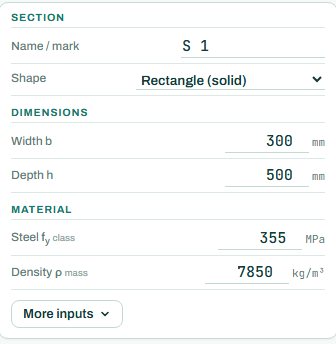
| Section | A name and the shape. | rectangle (solid) |
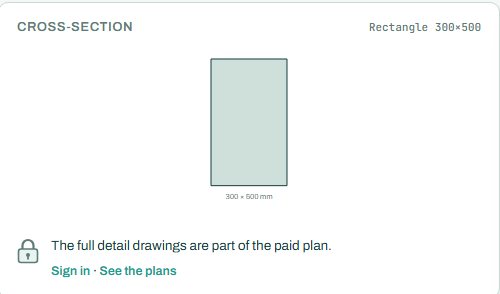
| Dimensions | The sizes of the shape: width and depth for a rectangle; flanges and web for an I; and so on. | 300 × 500 mm |
| Material | Steel fy (for the section class) and density (for the mass). | 355 MPa, 7850 kg/m³ |
| More inputs | The shear force for the shear stresses and the case for the class (bending, compression, or both). | bending |
3. How to read the result
The properties table lists each property with its symbol, value and unit. z is the strong (major) axis and y the weak (minor) axis; the badge at the top says which axis is stronger and by how much (here Iz/Iy = 2.8).
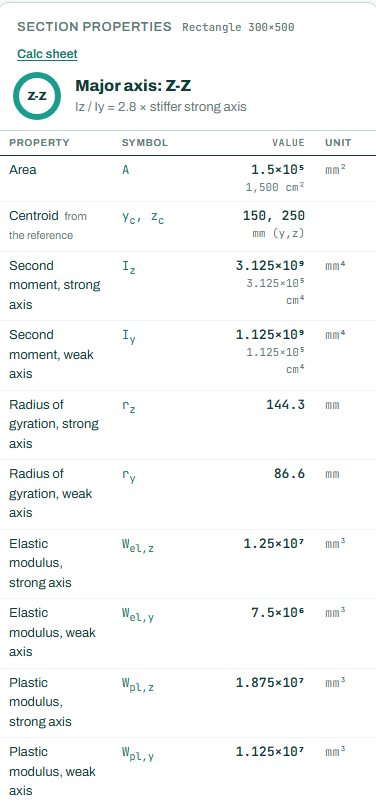
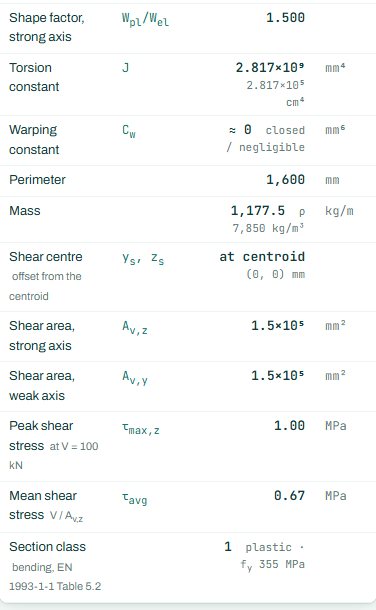
What to look for: the elastic modulus Wel for stresses in the elastic range, the plastic modulus Wpl for the plastic moment of a class 1 or 2 section, the radius of gyration r for buckling, and the torsion constant J and warping constant Cw for lateral-torsional buckling. For an open section such as a channel, the shear centre is outside the web: a load through the web also twists it. This page has no pass or fail: there is nothing NOT CHECKED, because nothing is checked against a code.
4. Calc sheet and comparison
The result (pass / fail and utilisation) stays free for everyone. Every check with its clause, the calc sheet and the bending schedule are open to signed-in users. Sign in free: 3 designs a month (one calculator, open for 24 hours). Unlimited with a calculator pack.
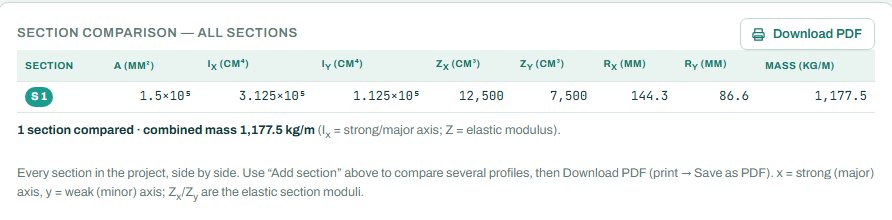
The section comparison puts every section of the project side by side: area, I, Z, r and mass per metre. Use “+ Add section” to compare a few profiles.
5. A 2-minute walk-through
- Open the calculator: a solid 300 × 500 rectangle in steel.
- Read Iz (3.125 × 109 mm⁴) and check it by hand: bh³/12 = 300 × 500³/12.
- Change the shape to an I section and see the plastic modulus and the class.
- Pick a UB from the library and compare it with your own I section.
- Add a second section and read the comparison.
6. Common mistakes
- Mixing up the axes. On this page z is the strong axis and y the weak one; other books use x and y.
- Wpl for a slender section. The plastic modulus only applies to class 1 and 2 sections.
- Polar moment as the torsion constant. For open sections J is much smaller than Iy + Iz.
- Steel density for a concrete or timber section. Set the density for the mass.
- A built-up section treated as one. Two members act as one section only if they are connected well enough along their length.
7. Where it fits
Use it to check a section before you design with it in the steel member, timber beam or cold-formed calculators, to get the properties of a shape that is not in the tables (a built-up girder, a plate with stiffeners, a concrete T-beam), or to compare candidate profiles by mass before you choose one.
8. Learn more
Open the section properties calculator
A guide to using the calculator, not a design. Check every value against the current code and your own project, and have the design checked and signed by a registered professional engineer.
Be first to use STATIX 3D and STATIX 2D.
Leave your email and we will tell you when each part is ready for testing. One confirmation now, one message then. A short monthly update only if you tick the box.