
Reinforcement drawings, in the CAD you already use.
An AutoCAD add-in for reinforcement detailing. Bars are drawn as real SANS 282 shapes, labelled and scheduled from the same data, so the drawing and the bending schedule cannot disagree.
No card needed. Already on a paid plan? The same button opens your download.
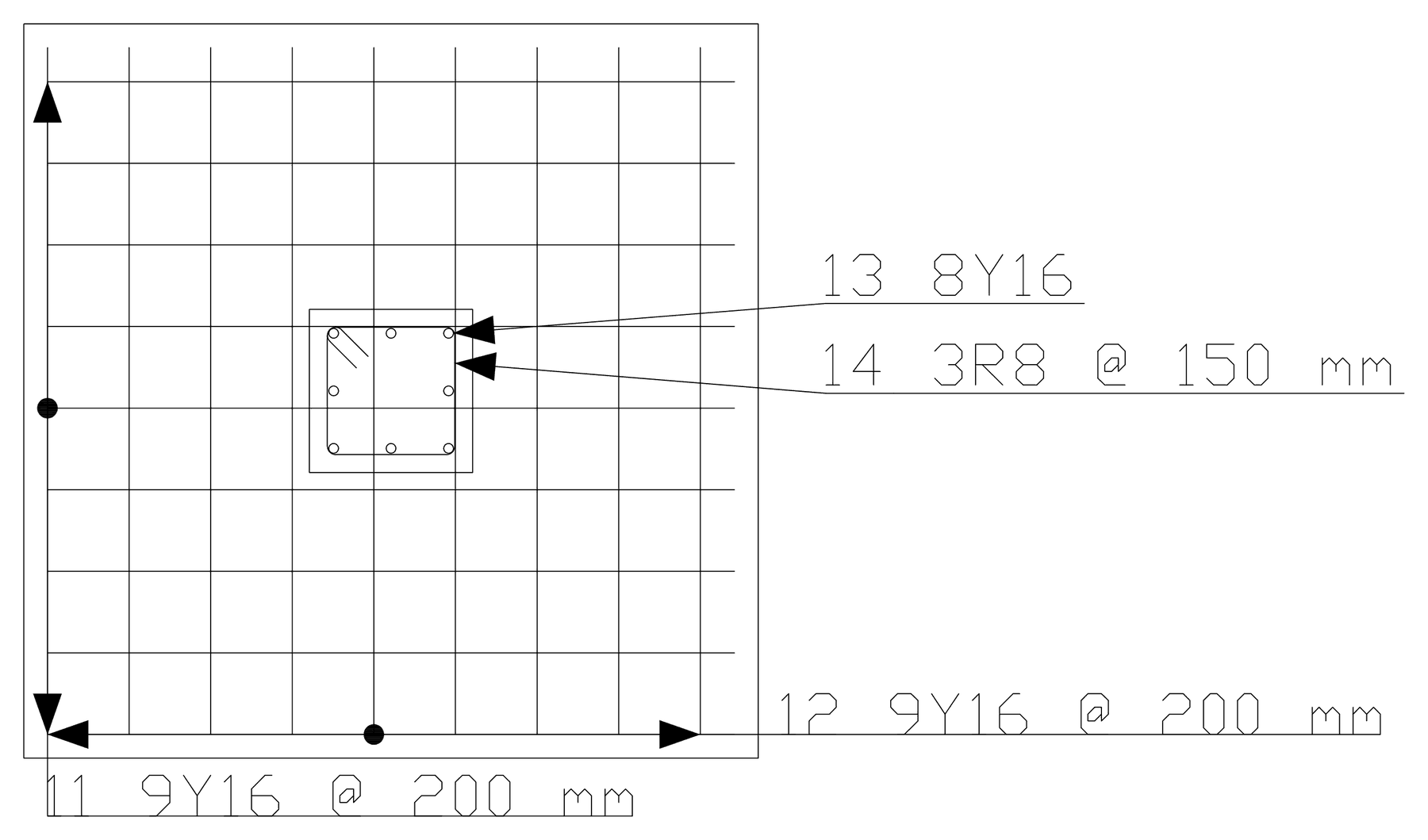
Draw the bar once. Everything else follows.
The bar in the drawing is the bar in the schedule.
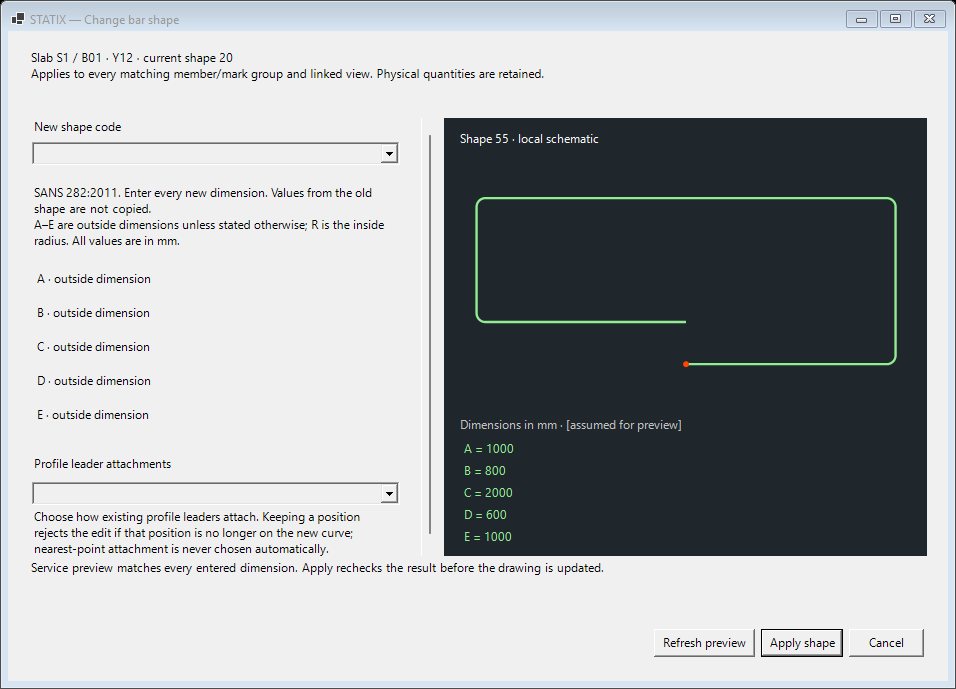
One source of truth
- Bar shapes and schedules to SANS 282:2011 or BS 8666:2020, chosen per drawing, with a live preview
- Labels built from the bar's own data: mark, count, diameter, spacing
- Bending schedule with cut lengths and mass, straight from the drawing
- Change a bar and its label and schedule row change with it
- One-window wizards for beams, rectangular and circular columns, bases, pile caps, strip footings, slabs, stairs, slab openings, corner bars, retaining walls, shear walls and house foundations from your wall lines, each with a live preview
- Schedule to Excel, and a bending-machine file (BVBS) from the schedule: curved bars are listed, not exported, so check the first file on your machine
- Laps and anchorage as a multiple of the diameter, in millimetres, or to EN 1992-1-1 (l0 and lbd)
- Send to STATIX 2D: one file from the STATIX 3D model brings the bars of every saved element into AutoCAD, with the marks STATIX 3D gave them: beams and continuous beams, columns, pad and combined footings, slabs with trimmers at openings, stairs with their cross-sections, corbels and lintels
In development. Send to STATIX 2D is being built and tested with the STATIX 3D development build.
Fill in one window. The drawing follows.
Each wizard updates its preview a moment after you stop typing: the plan, a section or the elevations, and most list the bars they will schedule. Create draws the views, labels the bar groups and adds the bars to the drawing's schedule. Modify opens the same window again.
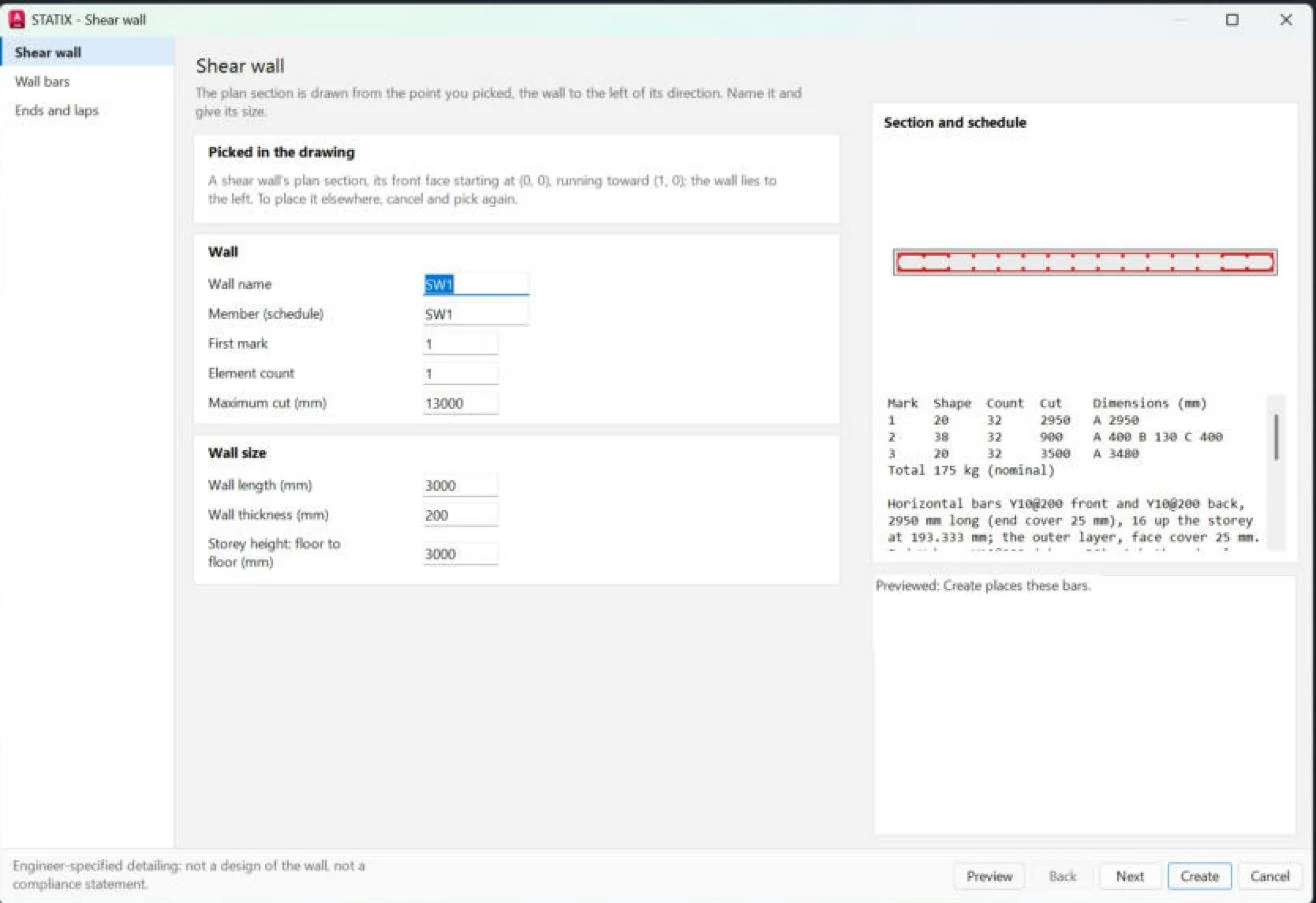
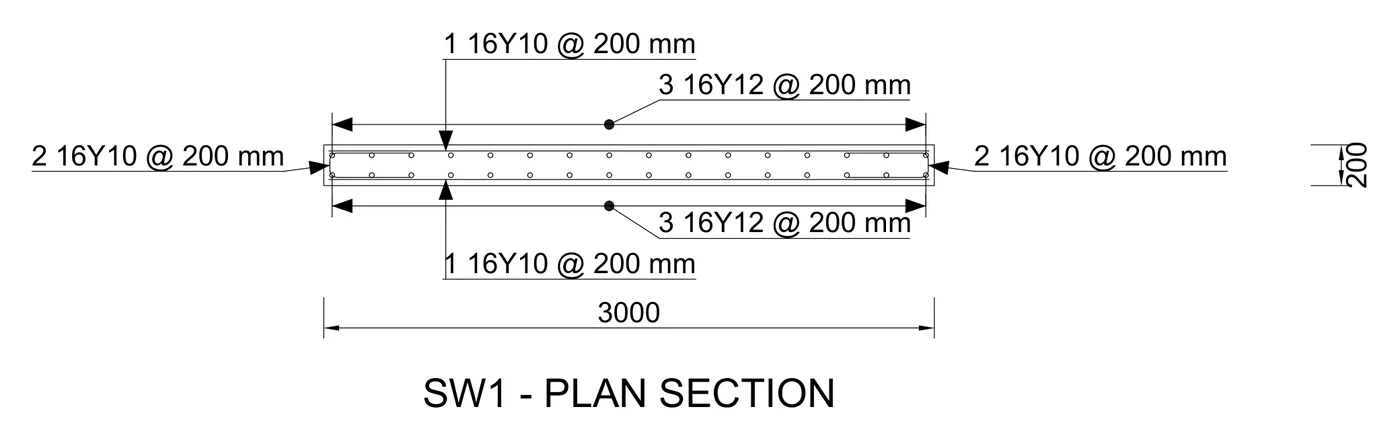
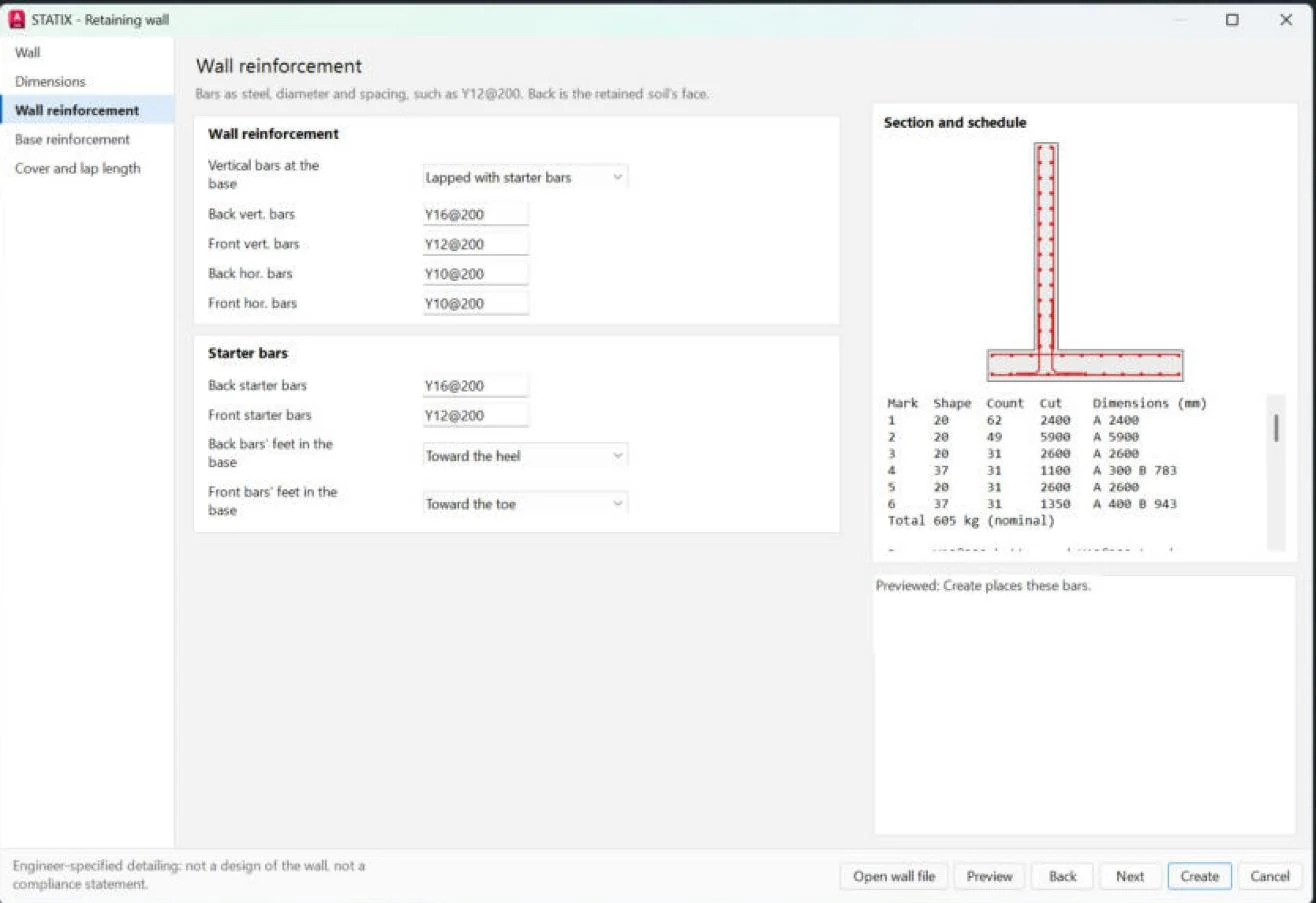
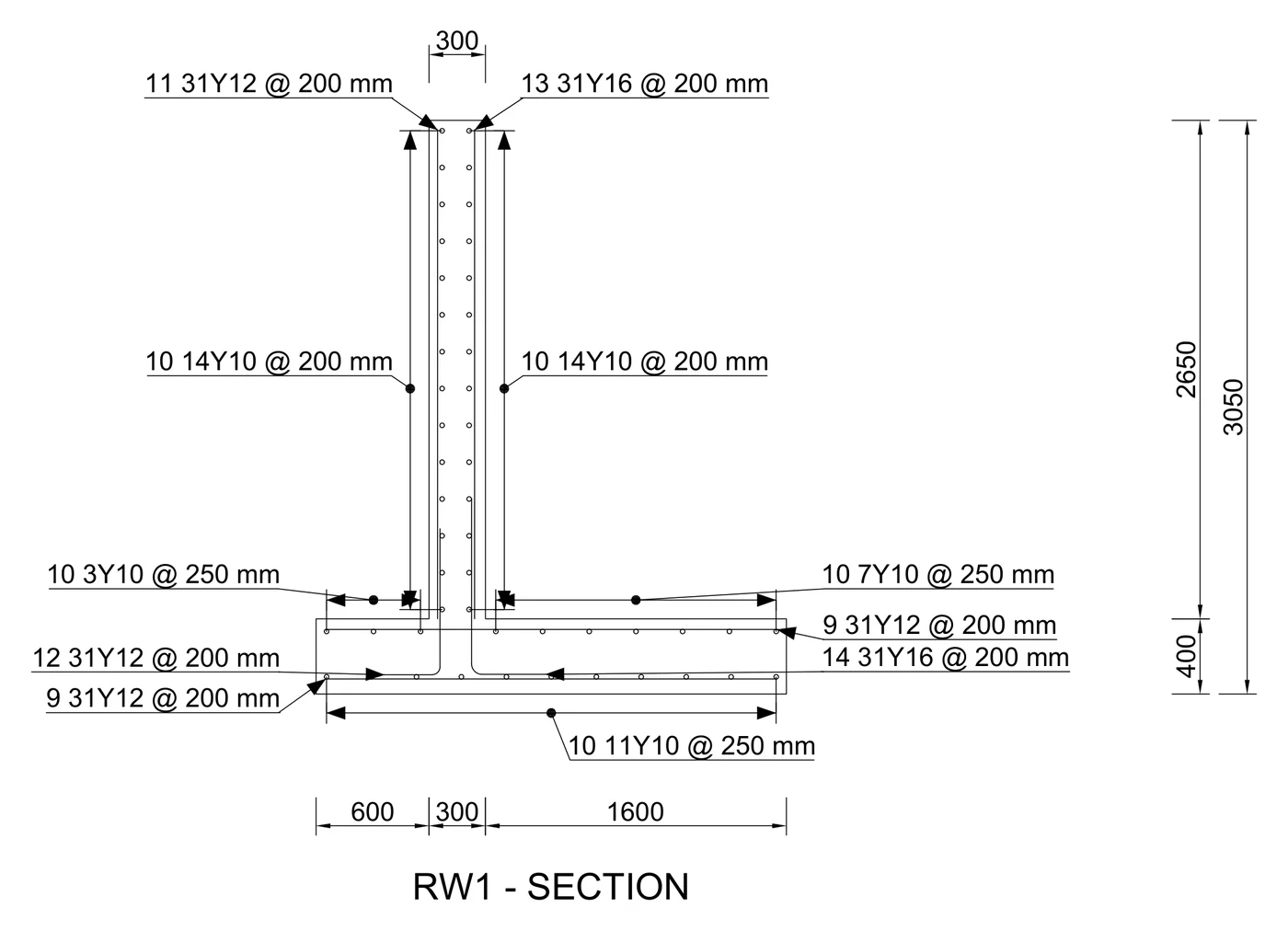
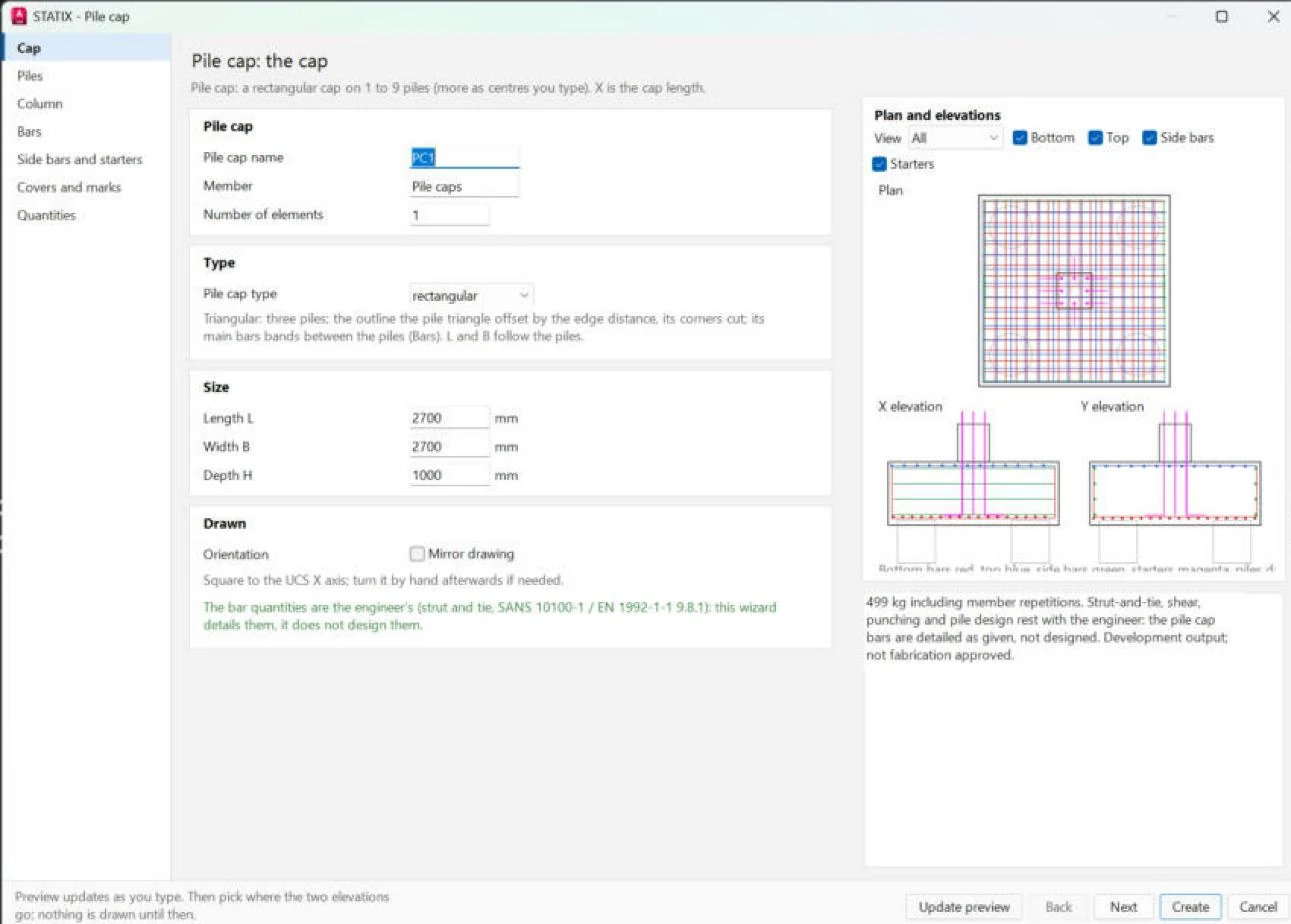
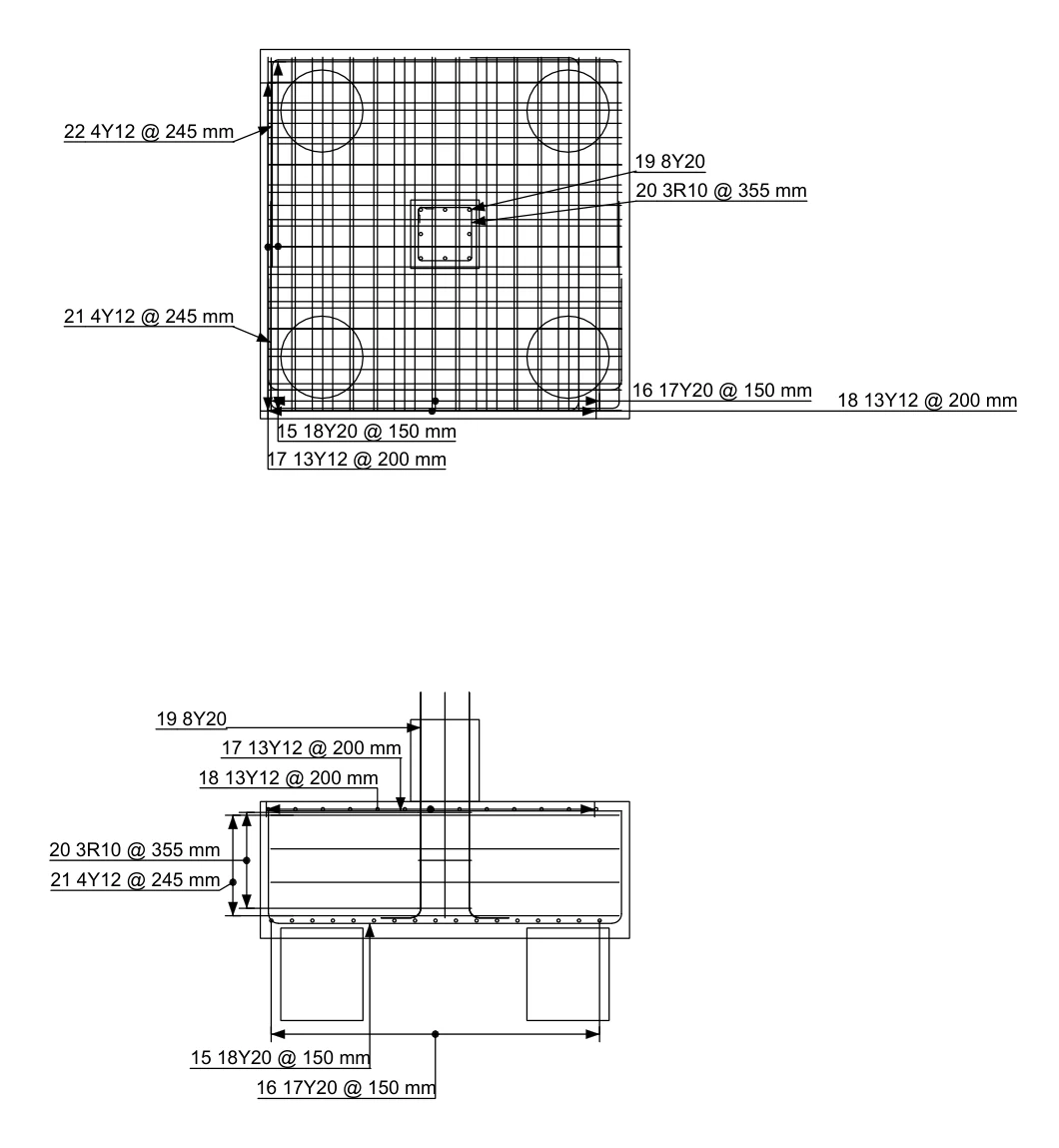
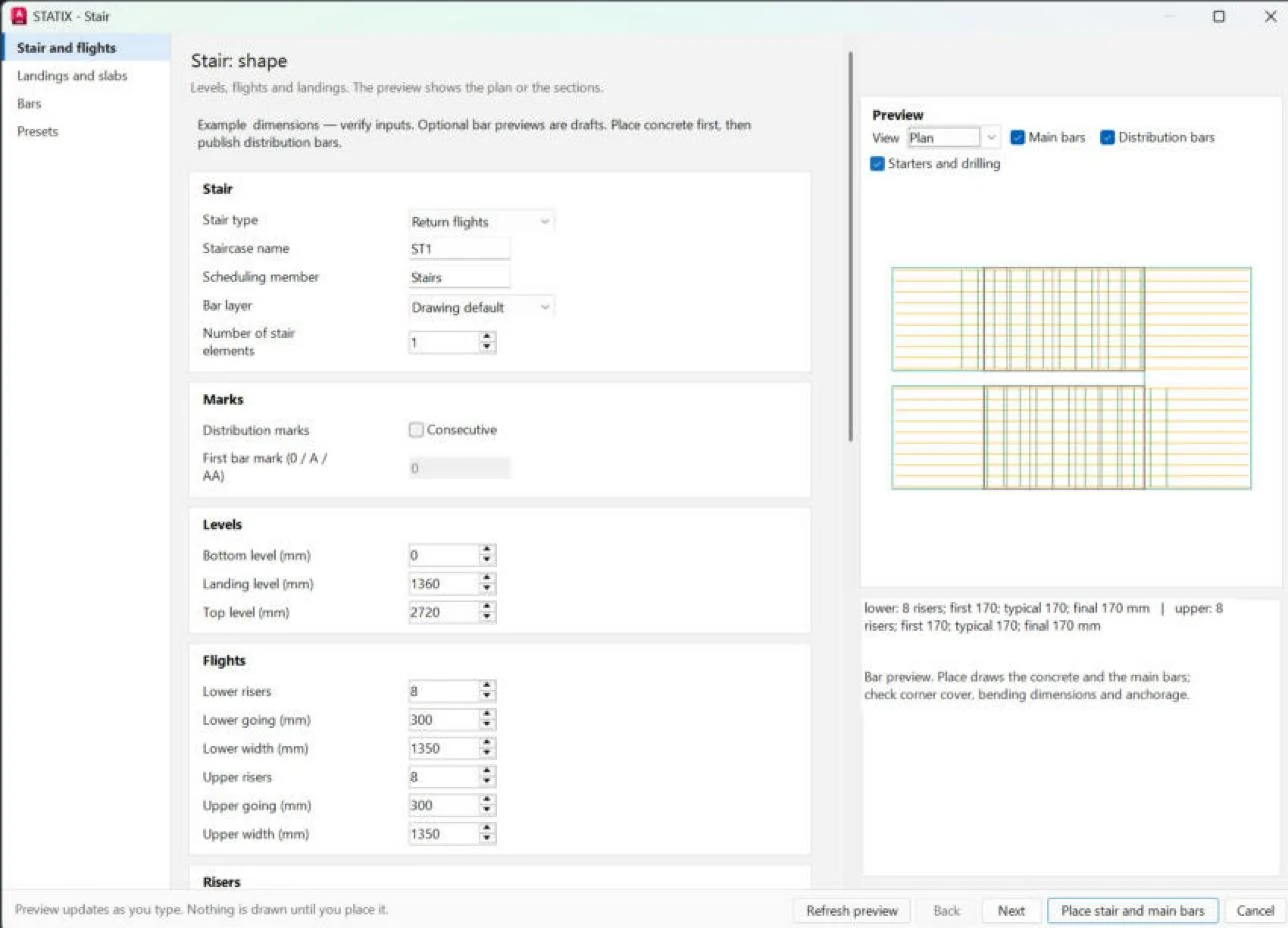
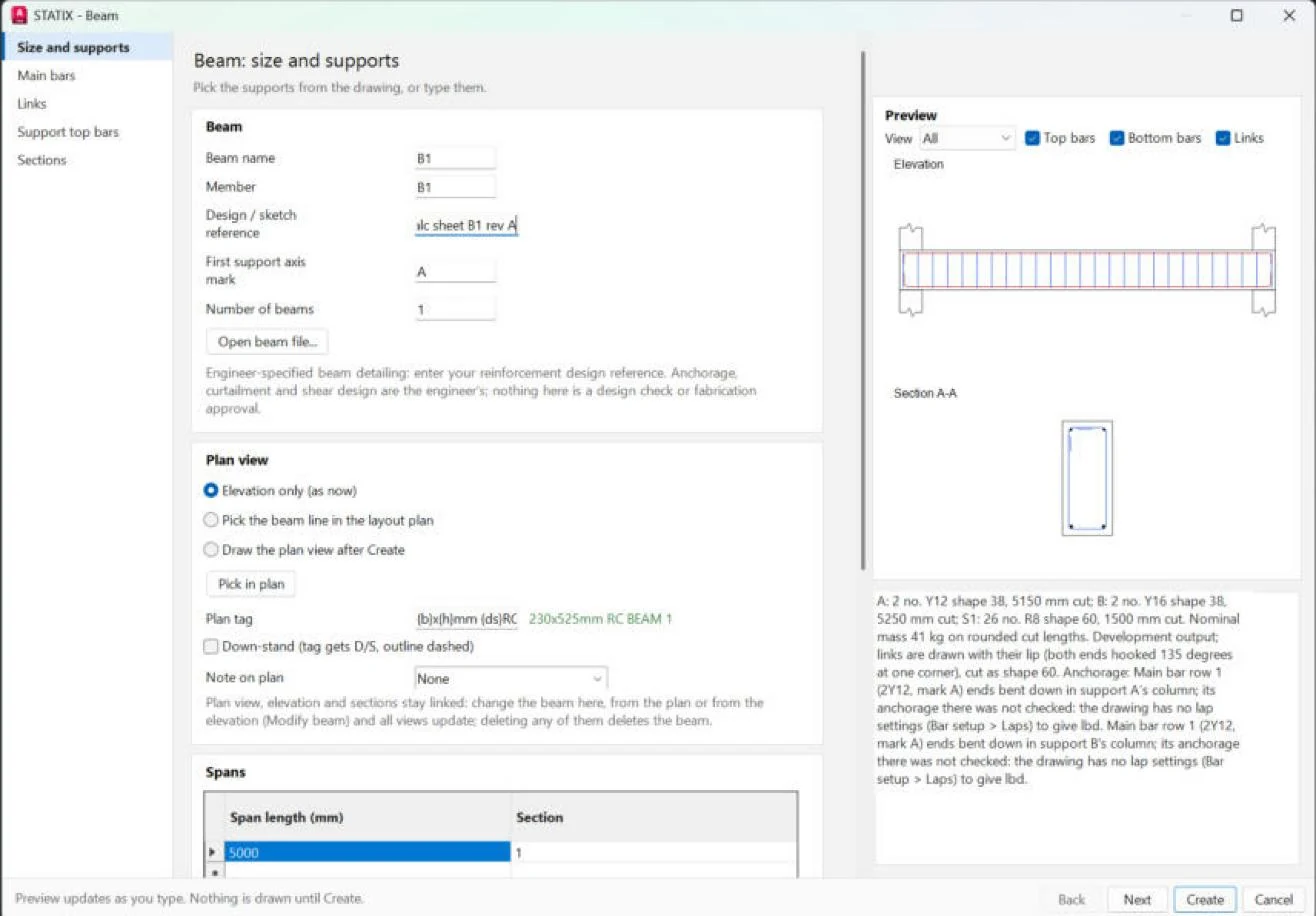
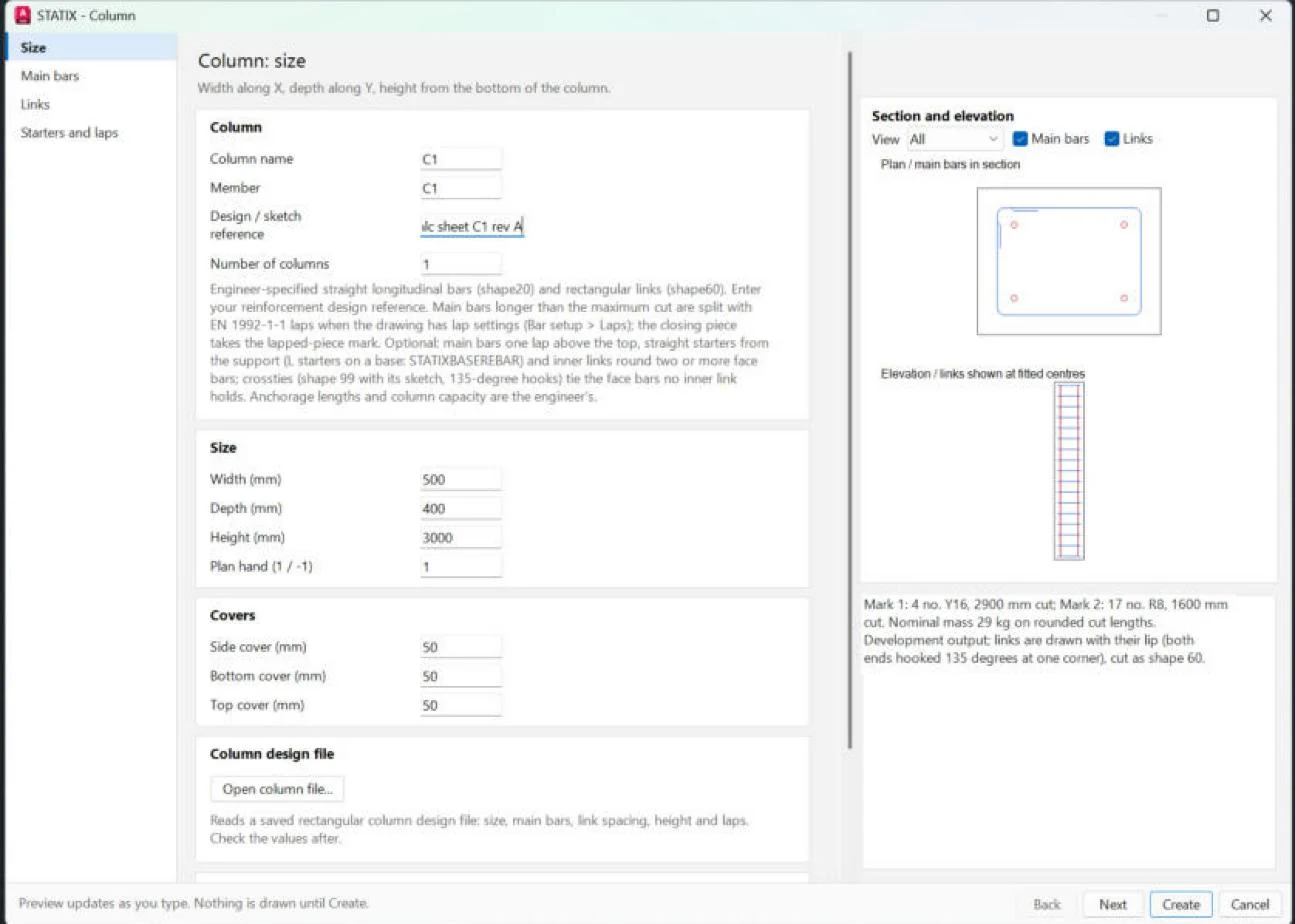
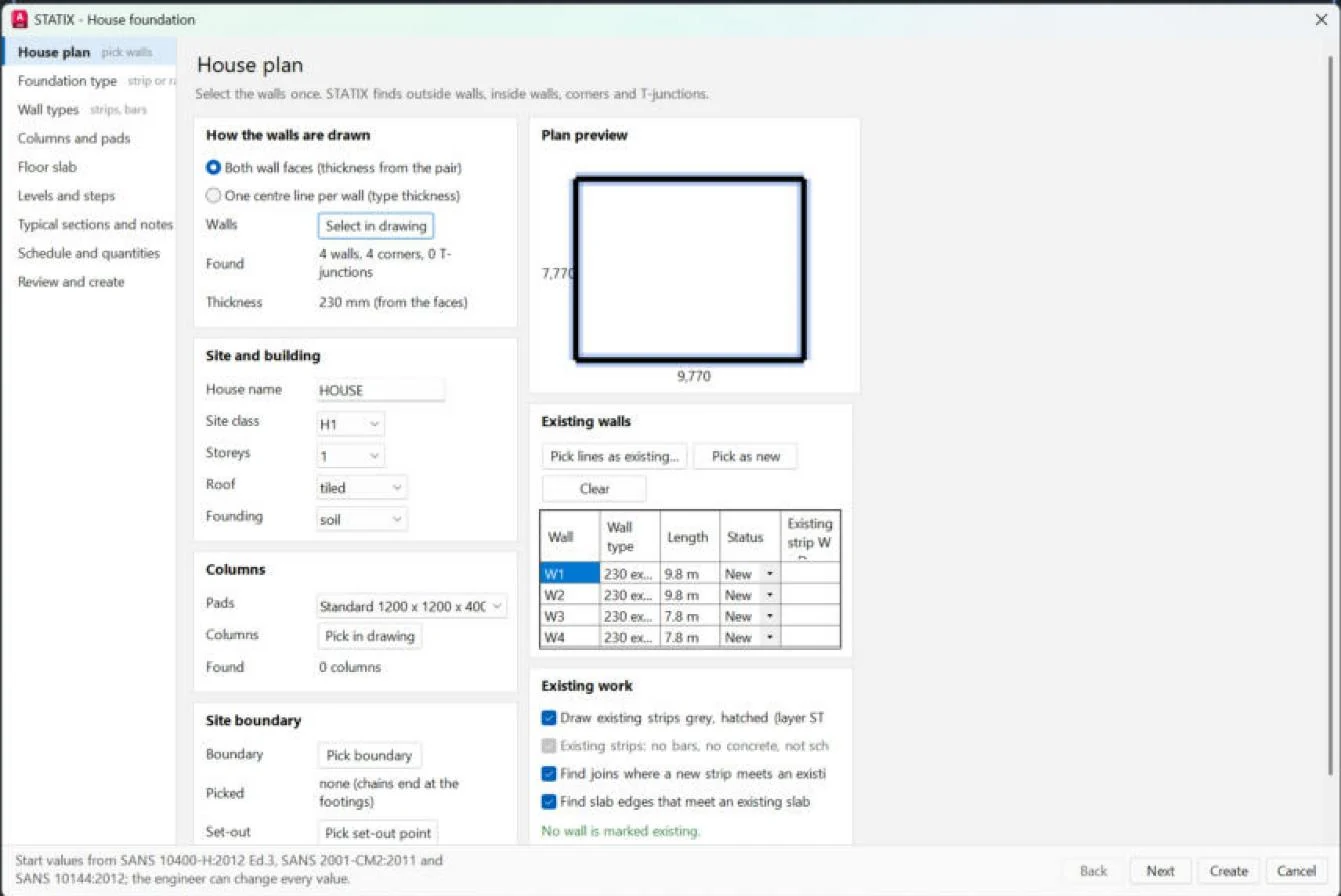
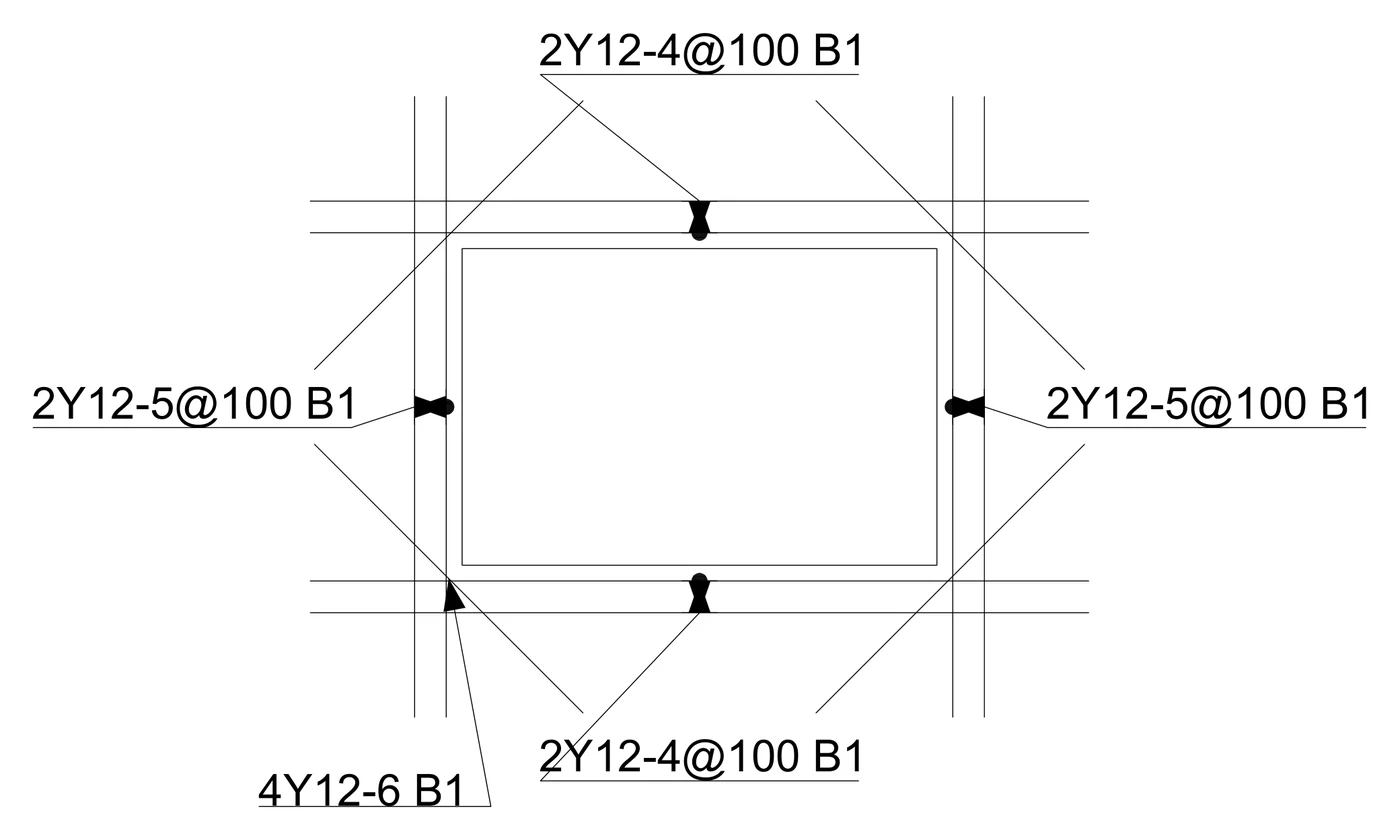
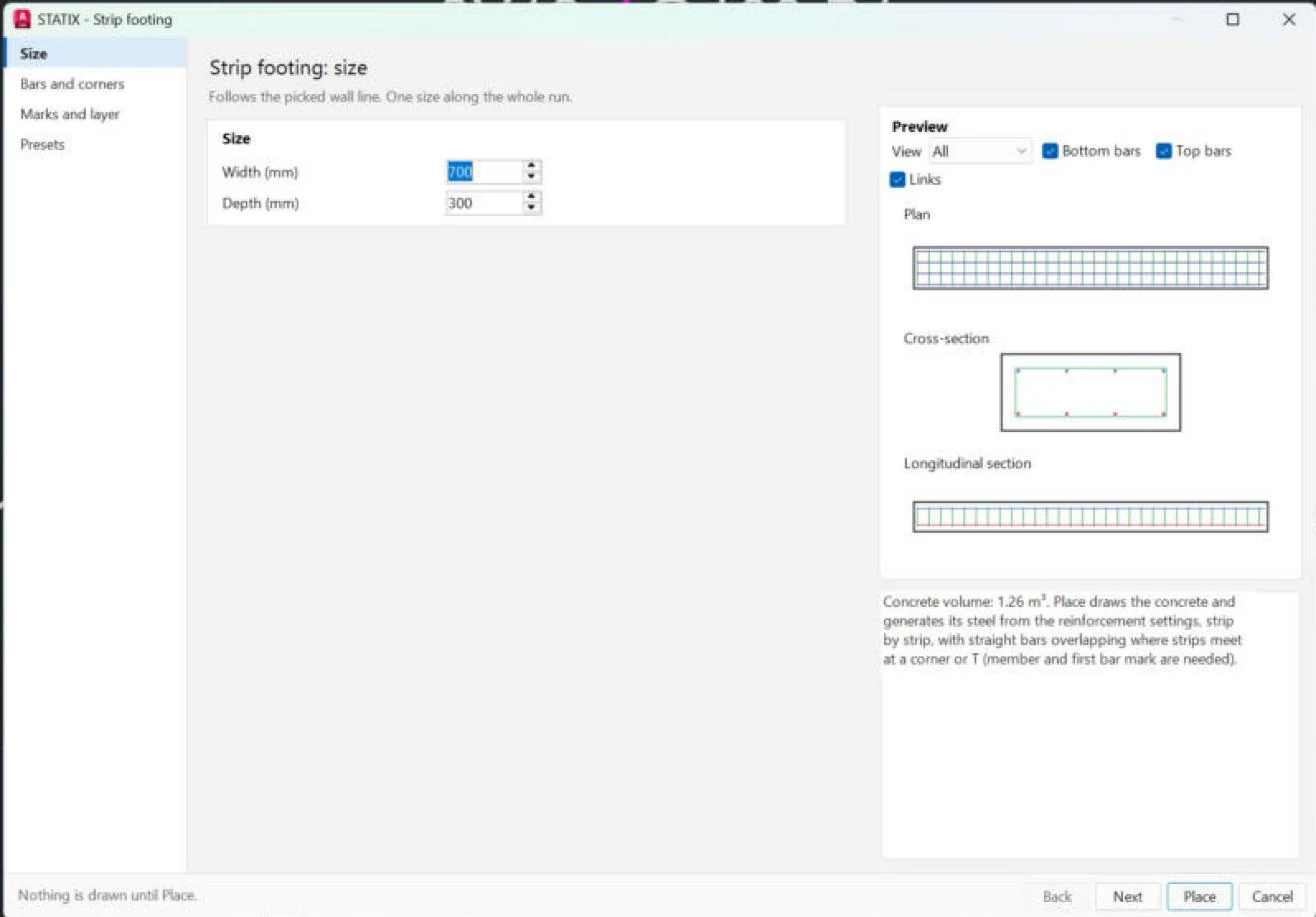
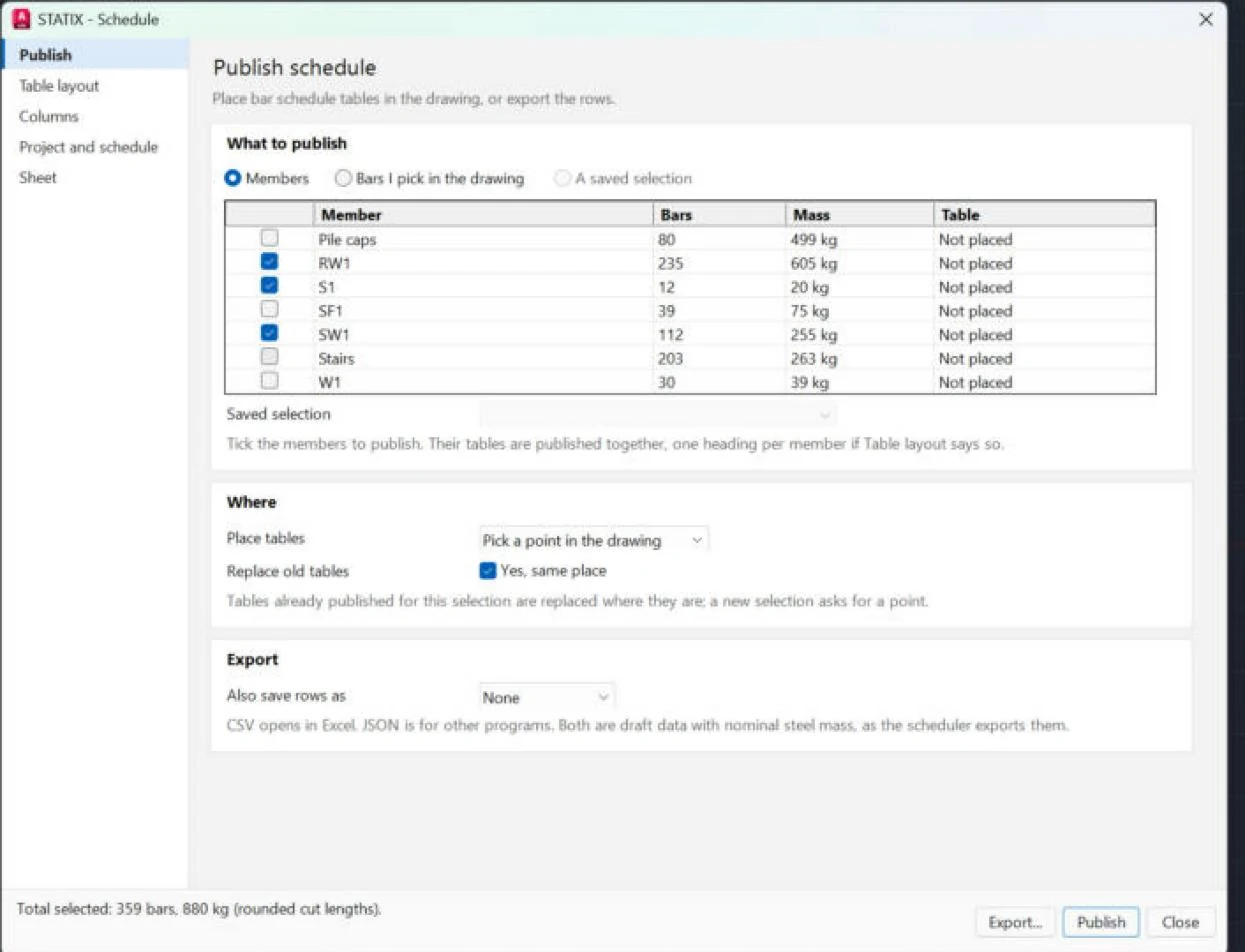
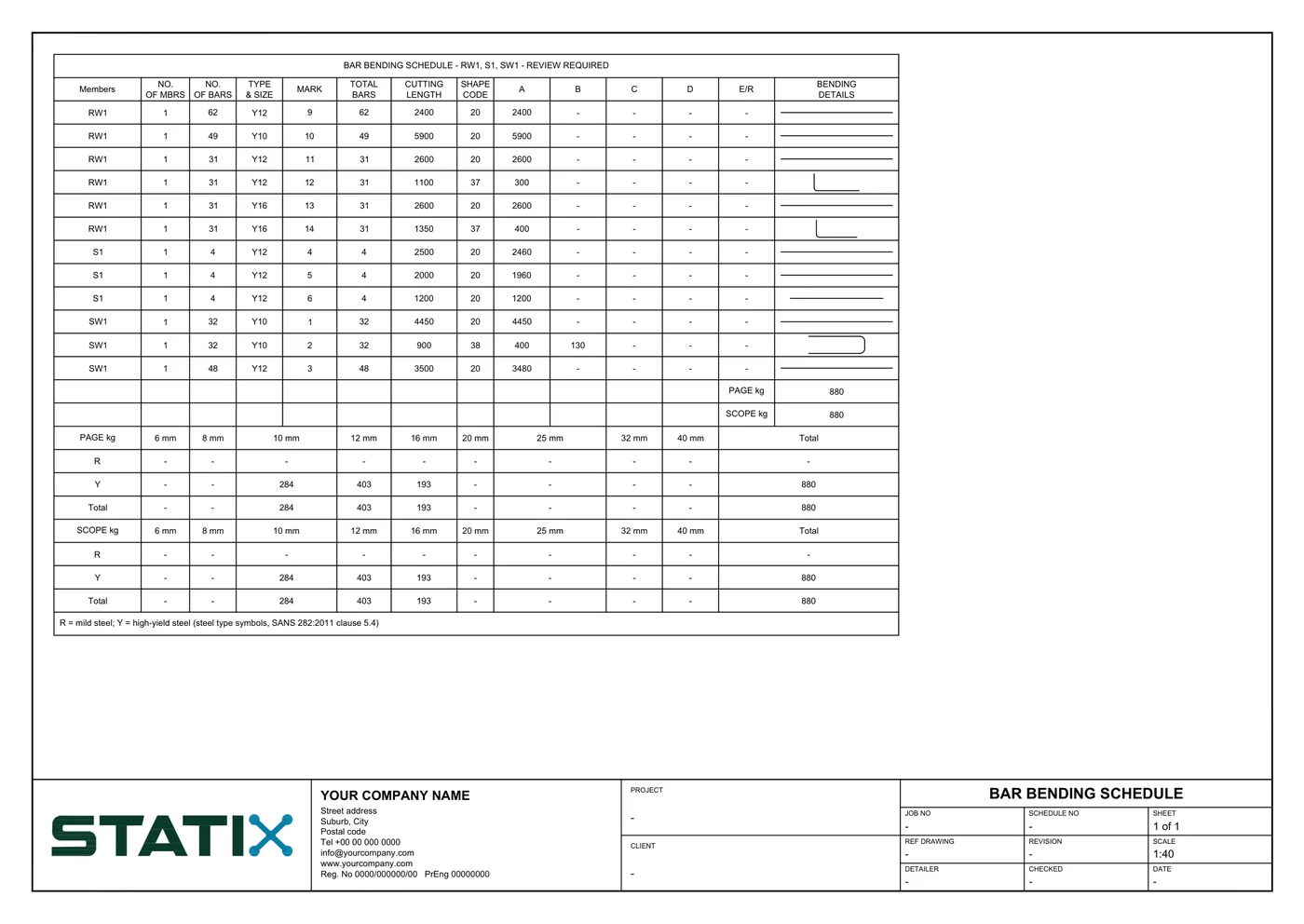
Example values for the pictures, not a designed job. The engineer specifies the bars: the wizards detail them, they do not design them.
Designed in STATIX 3D, drawn in AutoCAD.
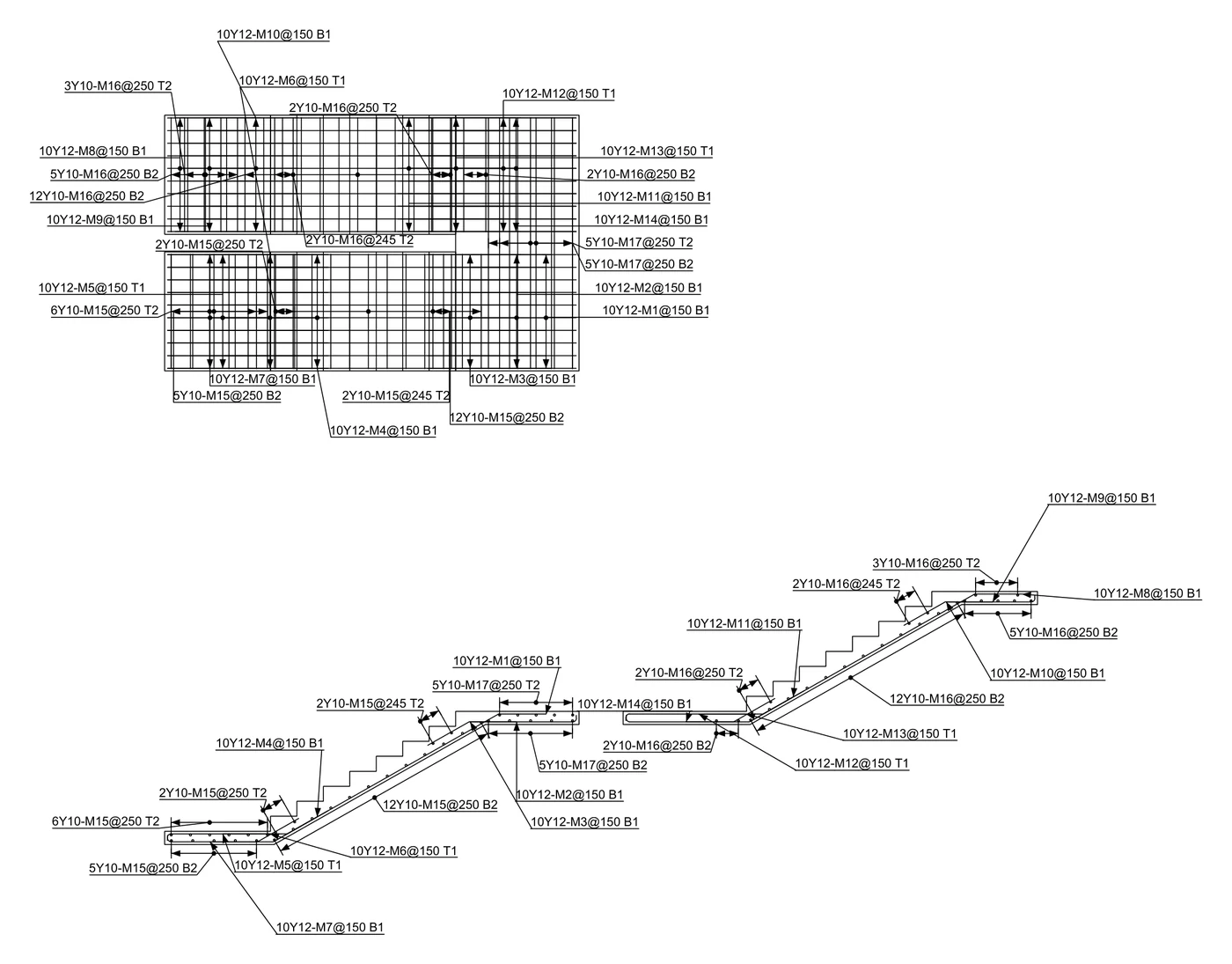
These drawings were drawn by STATIX 2D for AutoCAD from a STATIX 3D model: the bars of each saved element, with their marks, straight onto the drawing and into the schedule.
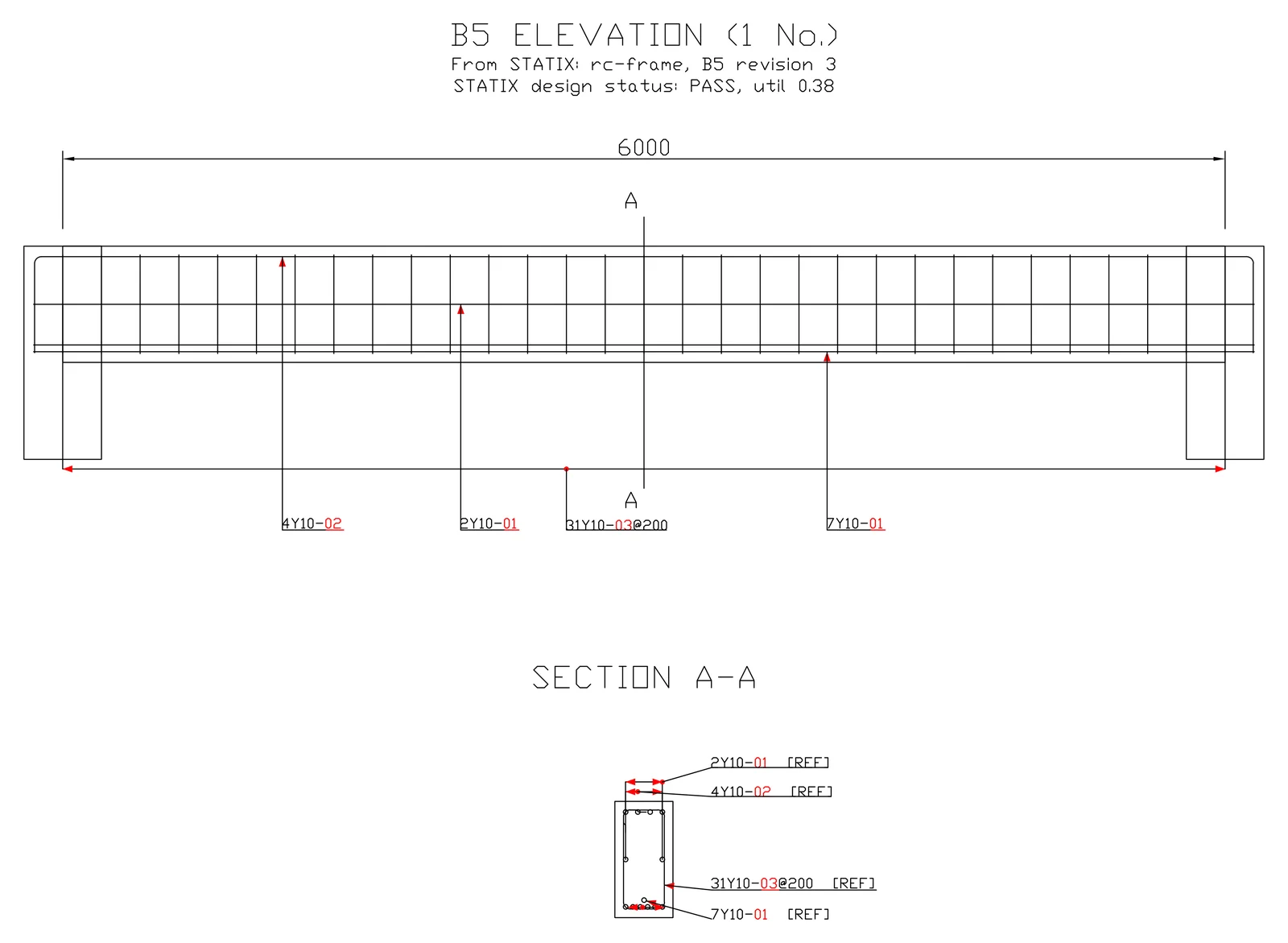
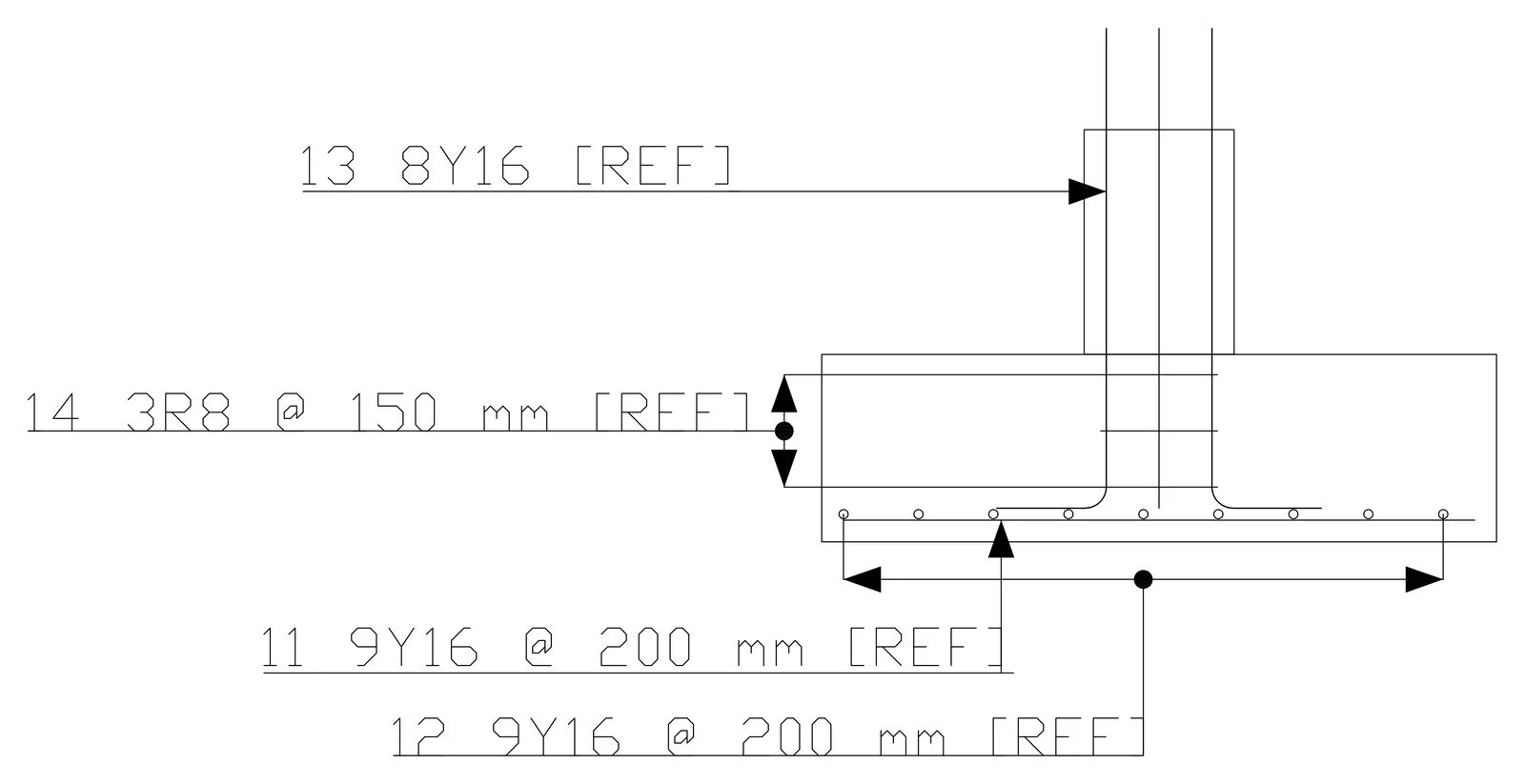
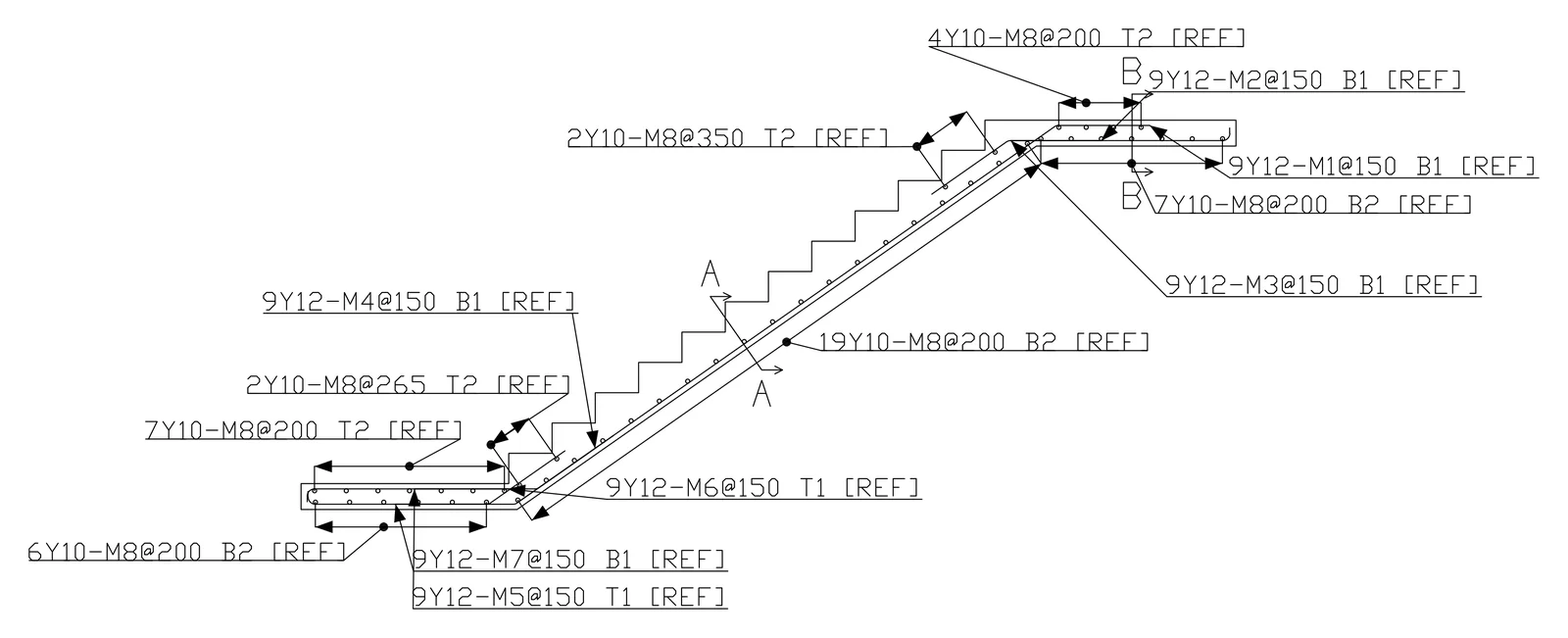
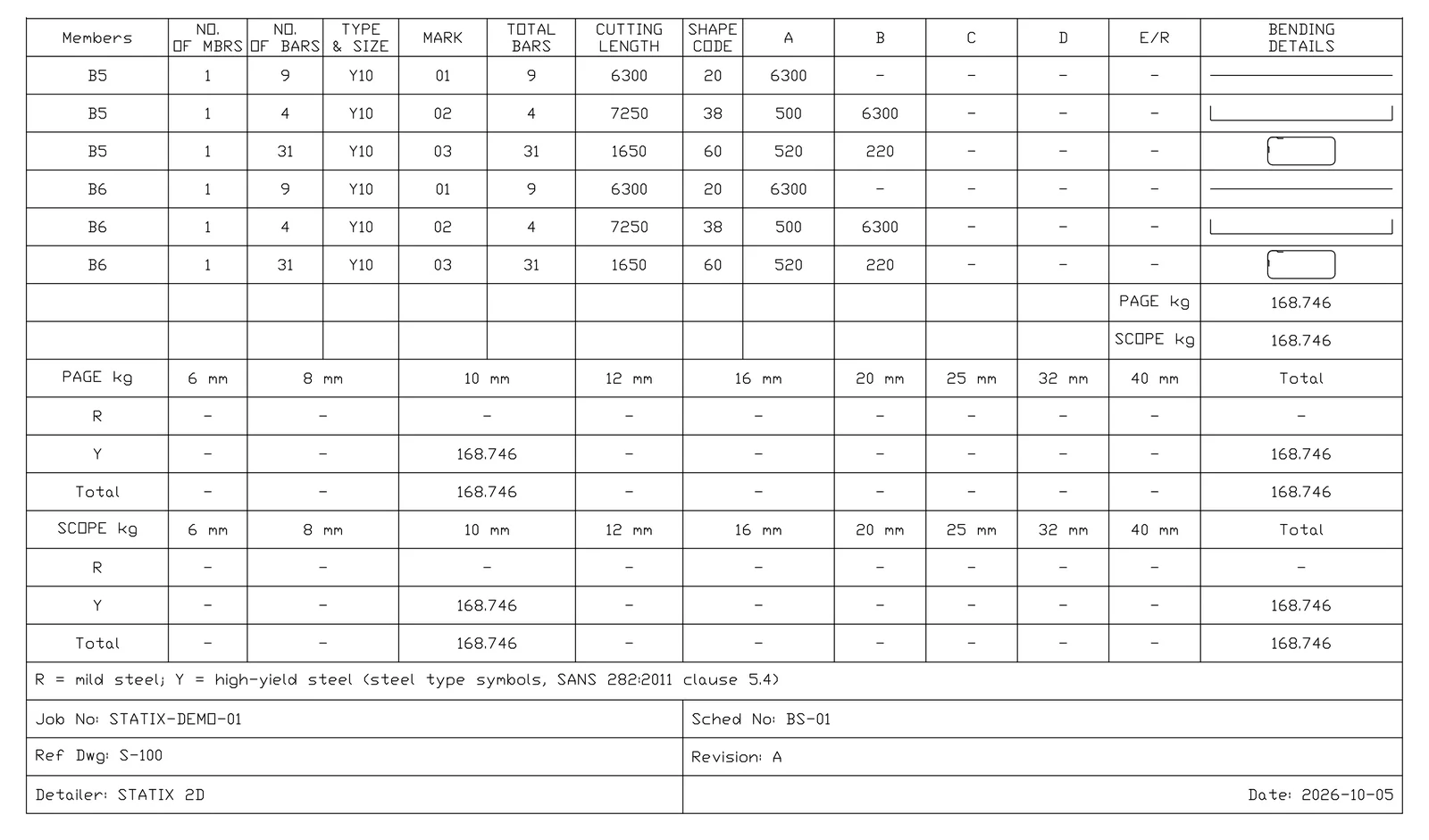
STATIX 2D is released for paid accounts. Send to STATIX 2D works from STATIX 3D, which is still in development.
Slabs, bases, beams and stairs.
Every picture here is a real screenshot of the add-in in AutoCAD.
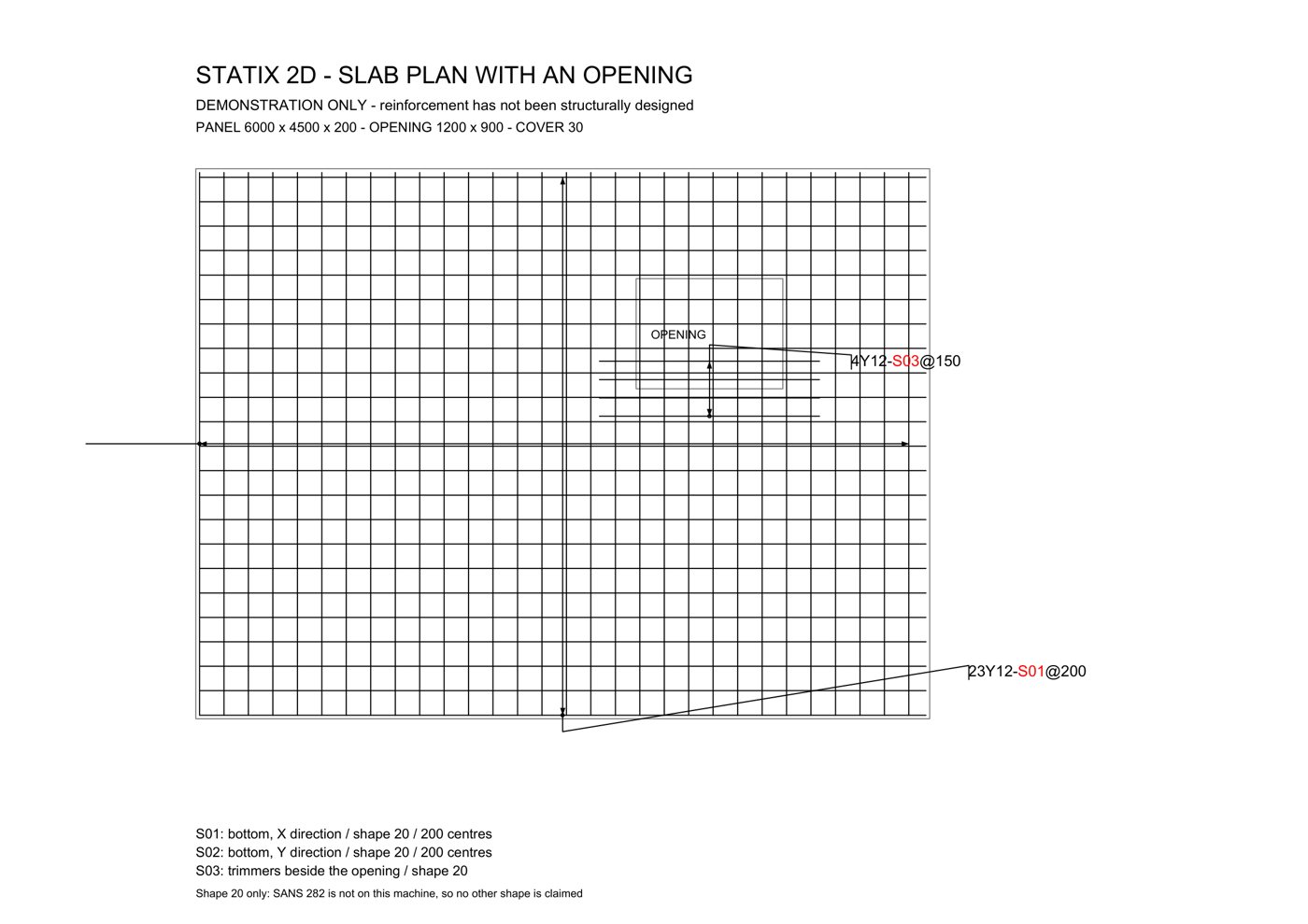
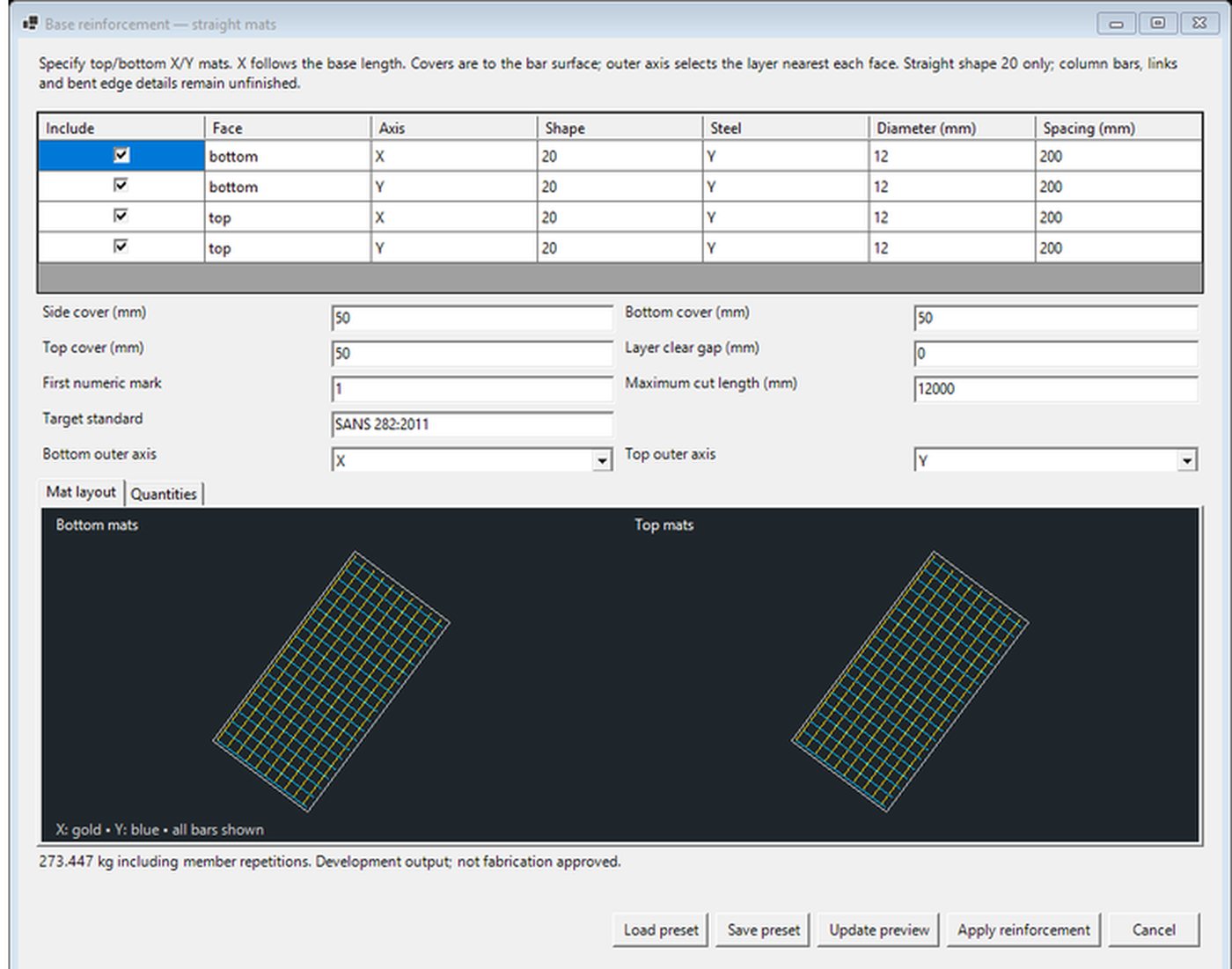
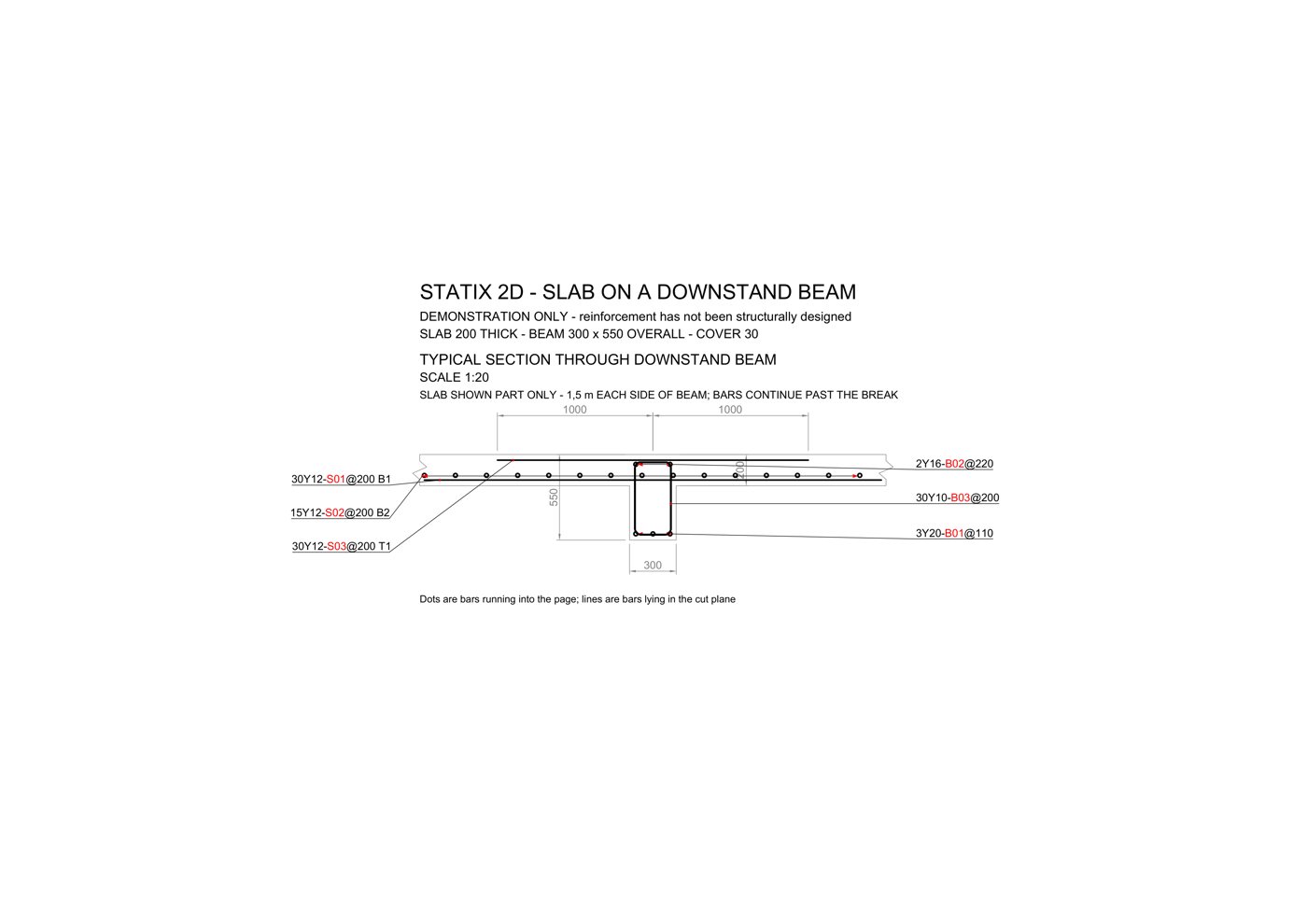
Example values for the pictures. The reinforcement in them has not been structurally designed.
Pad footing, column, beam and the schedule.
Drawn by the add-in in AutoCAD 2026 and plotted to PDF. No hand edits, only cropping.
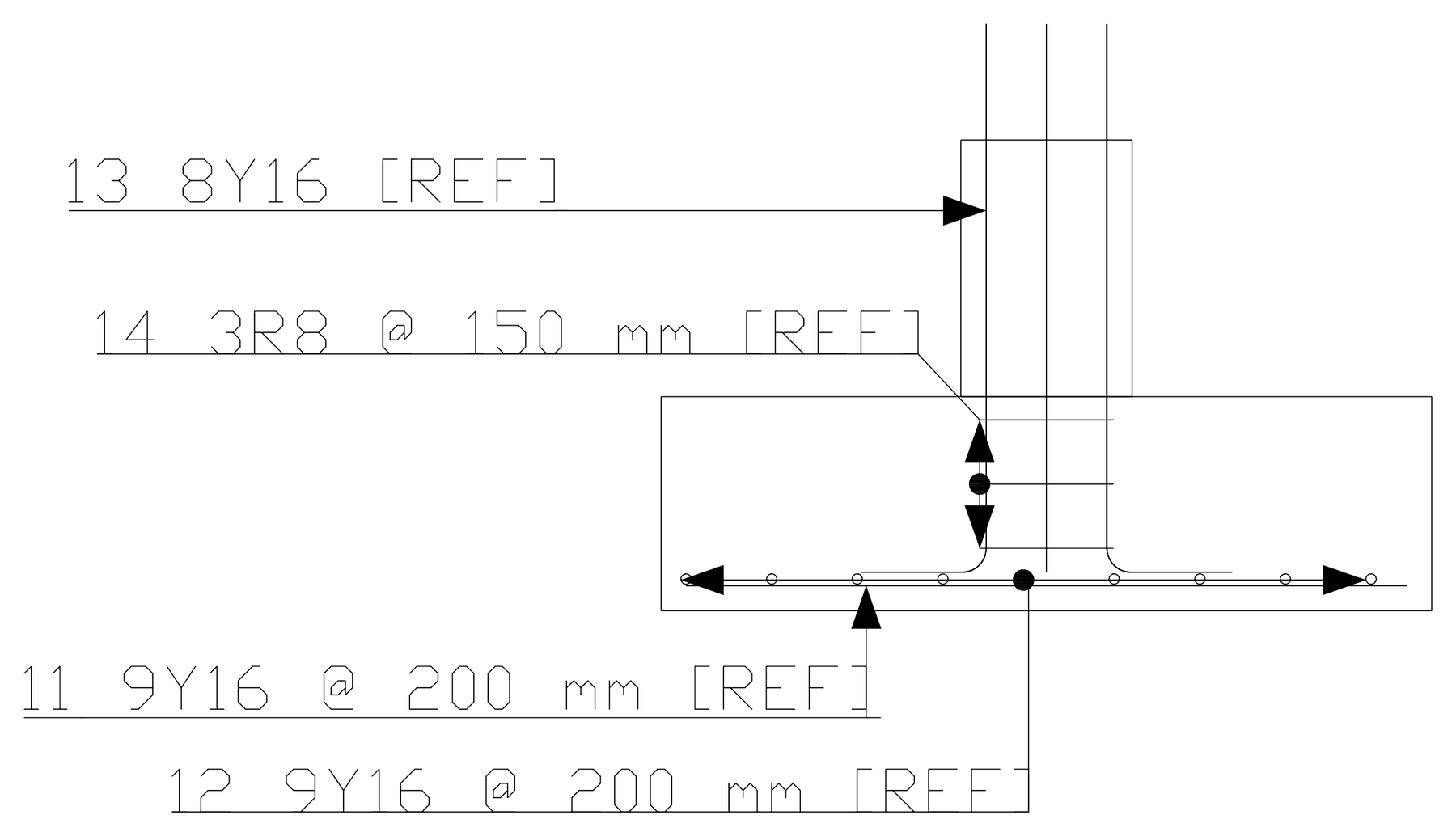
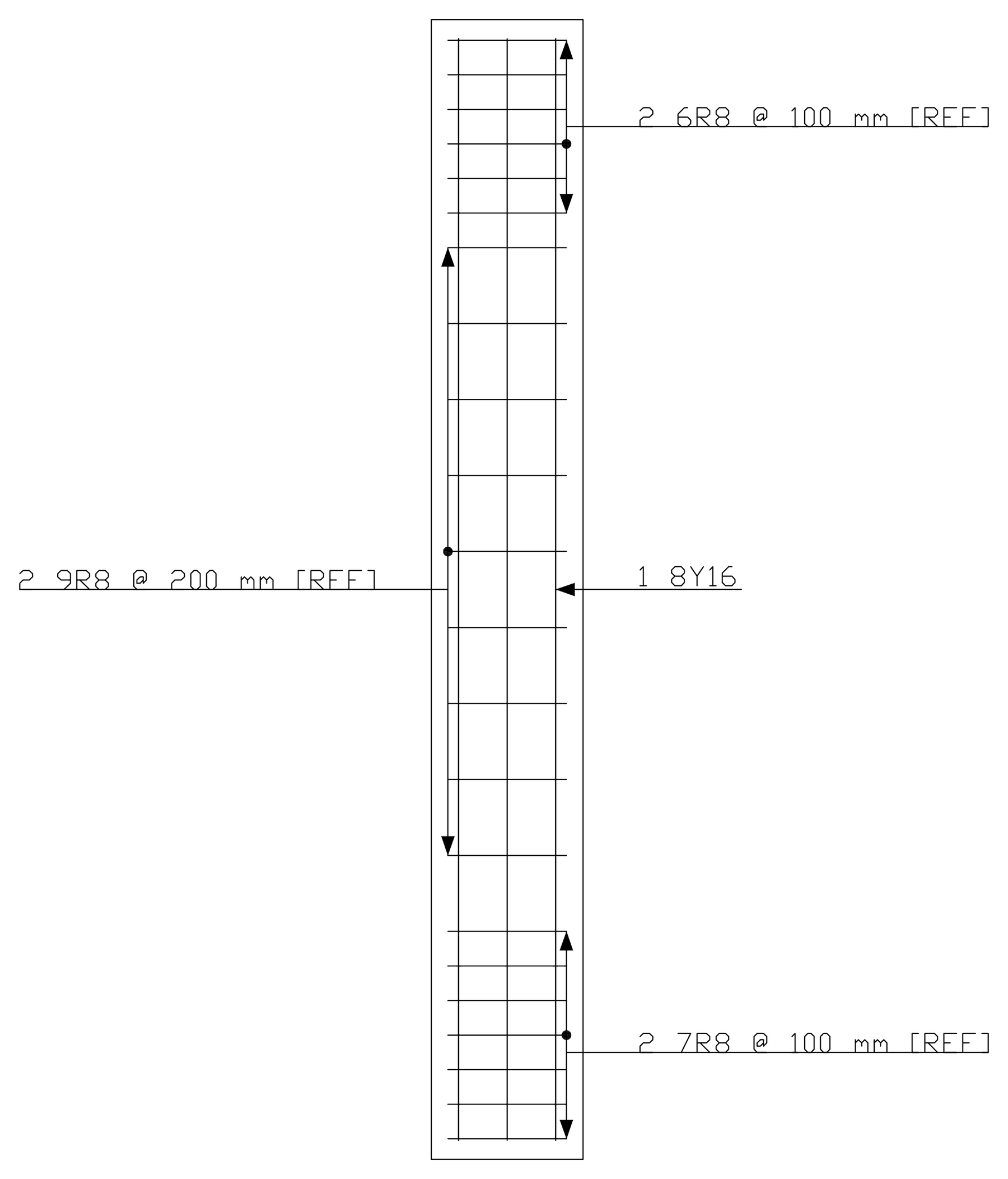
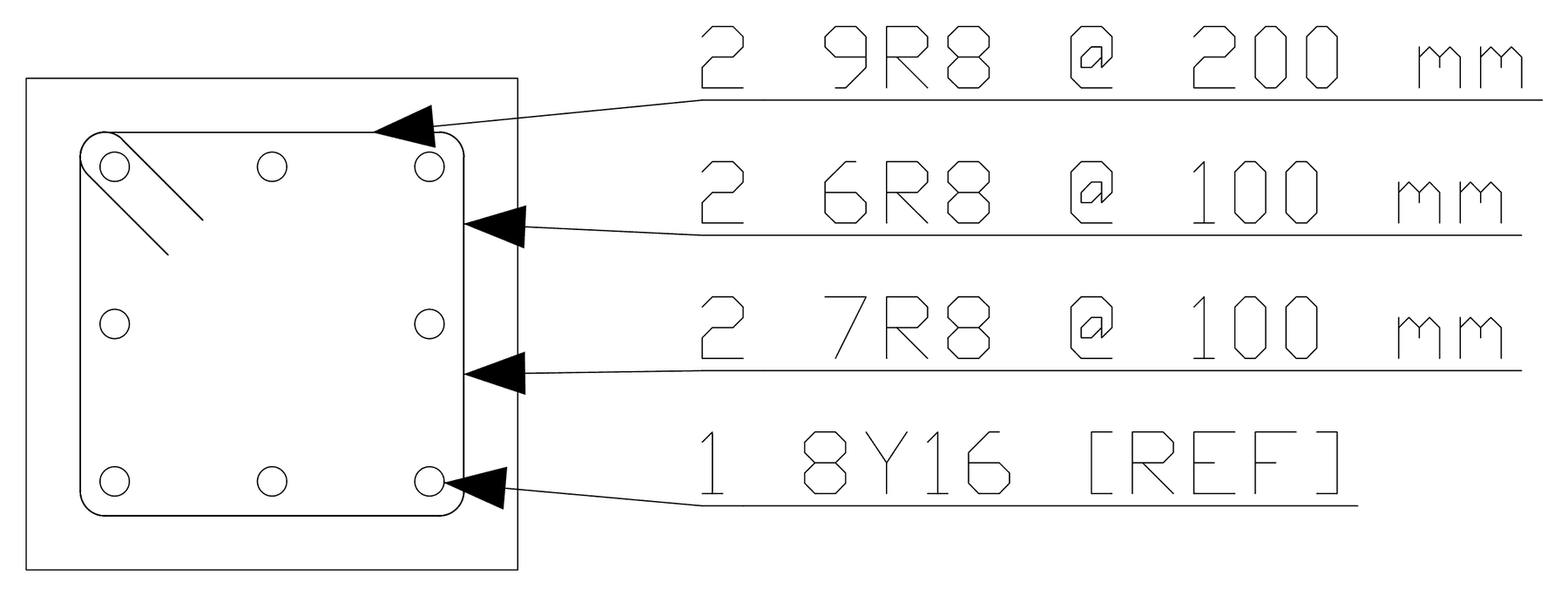
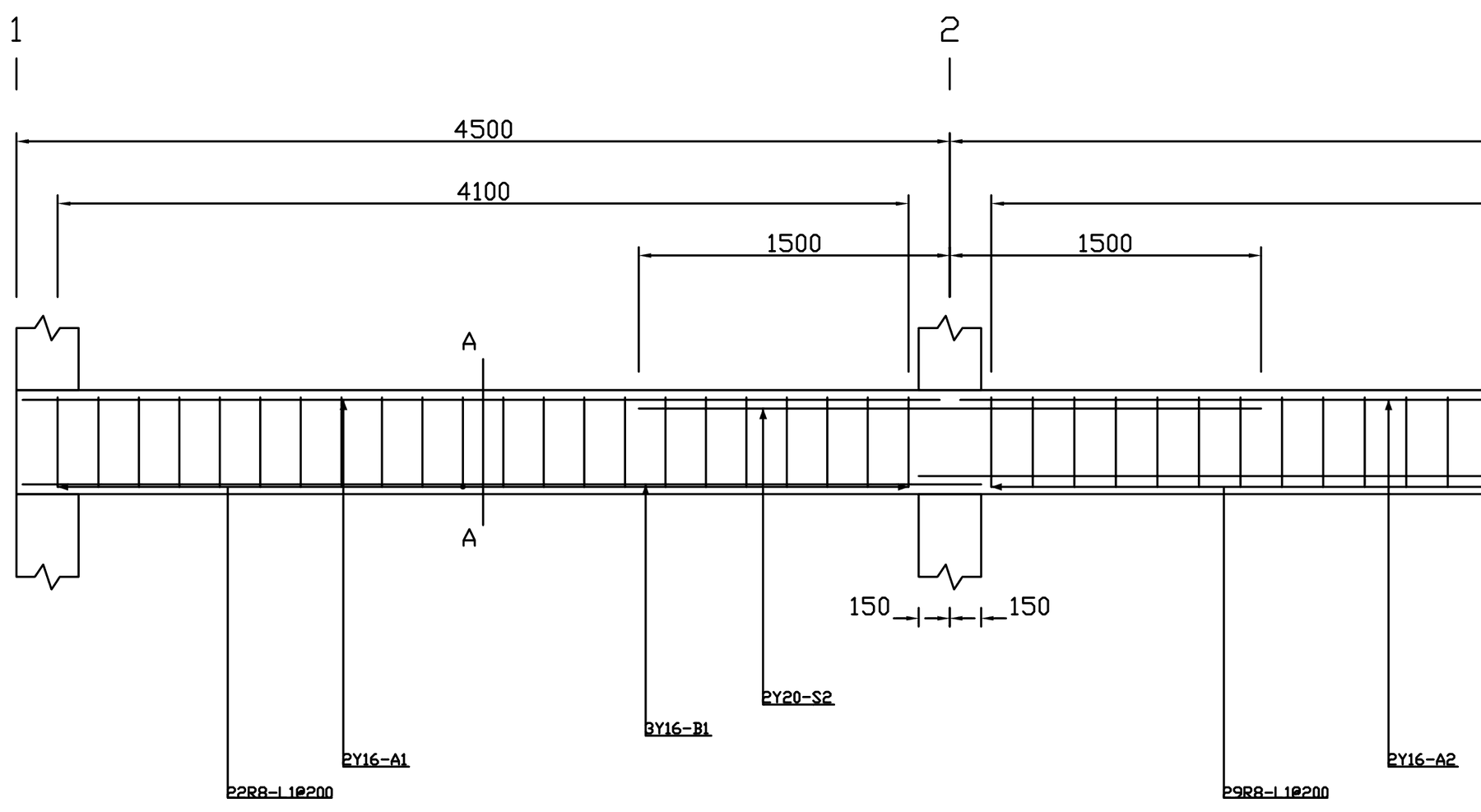
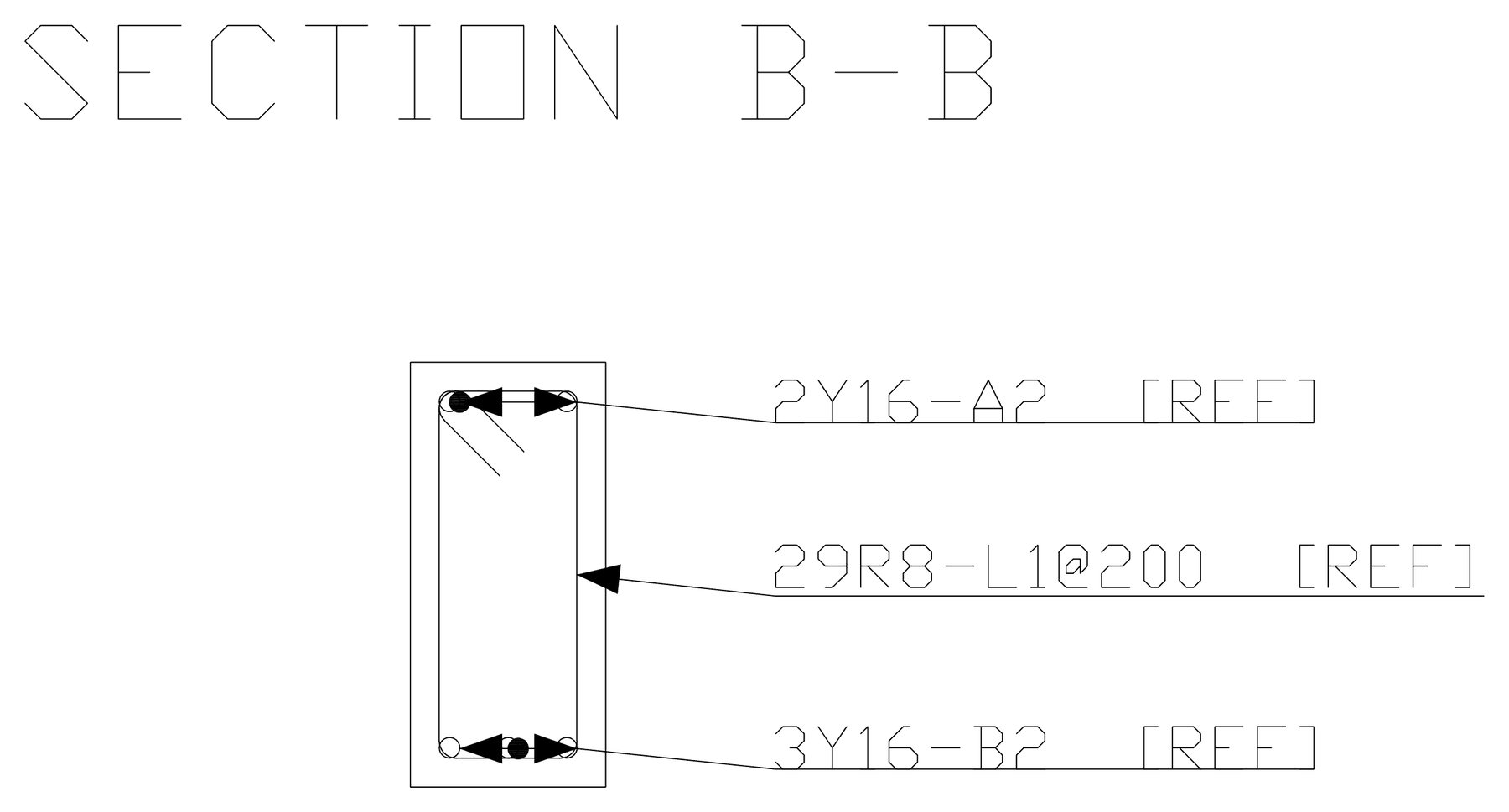
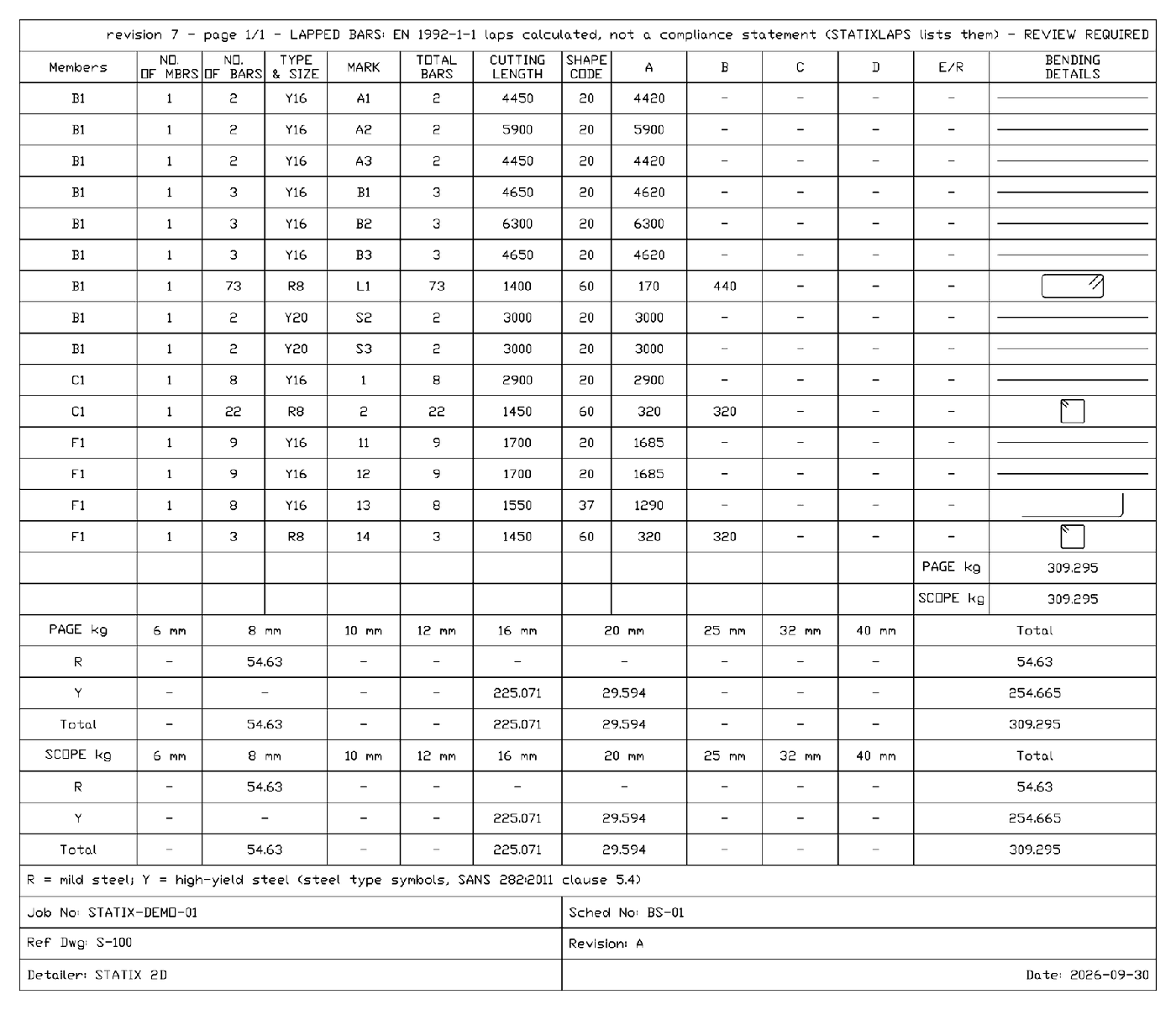
These are example values for the pictures, not a designed job. Some labels still overlap the concrete in the column elevation, and the column is drawn on its own, without the base below it.
Design first, then draw.
The concrete design modules decide the bars. STATIX 2D draws them.
Try the full STATIX suite for 30 days.
The trial opens everything a paid plan opens: STATIX 2D for AutoCAD and every calculator pack. The Revit and Advance Steel add-ins join the trial on the day each one is released.
- Sign in with a free STATIX account and confirm your email address.
- Start the trial on the download page. No card needed.
- Install STATIX 2D and sign in once inside AutoCAD. It remembers you after that.
The rules. One trial per account and one trial per PC. STATIX 2D runs on one PC at a time. After 30 days the paid parts stop until you choose a plan. Your drawings stay on your PC.
Be first to use STATIX 3D.
Leave your email and we will tell you when each part is ready for testing. One confirmation now, one message then. A short monthly update only if you tick the box.