
How to use the punching shear calculator
A flat slab round a column: what each input means, how to read the face and control perimeter checks, and when the engine designs punching links.
1. What the calculator does
The punching shear calculator checks a flat slab around a column for punching. It checks the shear at the column face against the maximum, then at the control perimeters away from the face, and if the concrete alone is not enough it designs the punching links in rings round the column. It takes interior, edge and corner columns, rectangular or circular, with drop panels, openings near the column and an unbalanced moment.
The code routes are SANS 10100, BS 8110, Eurocode 2 (EN 1992-1-1) and SANS 51992-1-1 (SA Eurocode, 2023 draft annex). The badge says it plainly: on SANS and BS the perimeters are at 1.5d per BS 8110 cl. 3.7.7 with the STATIX vc; on Eurocode 2 they follow EN 1992-1-1 cl. 6.4.

2. The inputs, group by group
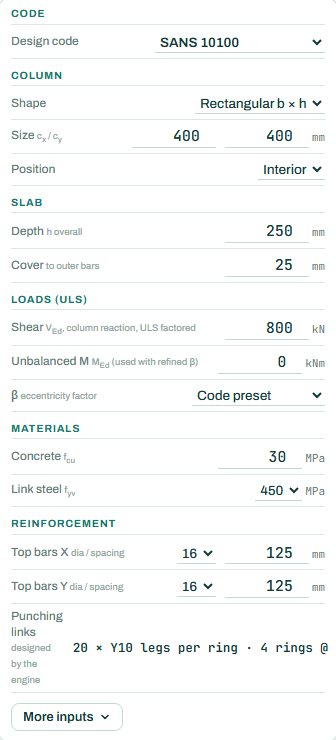
| Input | What it means | Typical value |
|---|---|---|
| Code | The design code; it sets the perimeters and the vc formula. | SANS 10100 |
| Column | Shape, size cx × cy and position: interior, edge or corner. | 400 × 400, interior |
| Slab | Overall depth h and cover to the outer bars; the engine works out d. | h 250, cover 25 |
| Loads (ULS) | The factored column reaction VEd and, for the refined method, the unbalanced moment. | V 800 kN |
| β factor | The eccentricity factor: a code preset for the column position, or refined from the moment. | code preset |
| Materials | Concrete fcu and link steel fyv. | 30 MPa, 450 MPa |
| Reinforcement | Top bars each way over the column; they set the steel ratio and so vc. | Y16 @ 125 both ways |
3. How to read the result
The design result card lists the steps in order: effective depth d, the steel ratio ρl, the β factor, the stress at the column face against the maximum, the control perimeter u1 and the stress there against vc. If v exceeds vc, the engine gives the shear reinforcement area and a layout suggestion (number of legs, rings and spacing).
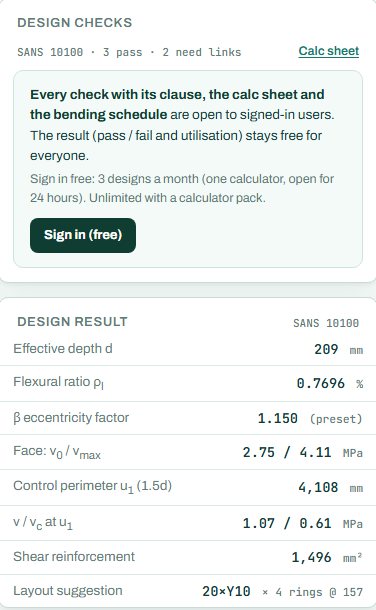
Read the face check first: if v0 exceeds vmax, no links will help; the slab must get thicker, the column bigger or the concrete stronger. Then read u1: the summary “3 pass · 2 need links” tells you the slab works only with the links designed. The badge names the governing check; anything the engine could not run shows as NOT CHECKED.
4. Calc sheet and schedule
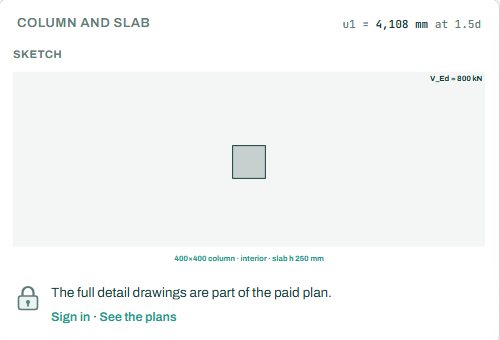
The result (pass / fail and utilisation) stays free for everyone. Every check with its clause, the calc sheet and the bending schedule are open to signed-in users. Sign in free: 3 designs a month (one calculator, open for 24 hours). Unlimited with a calculator pack.
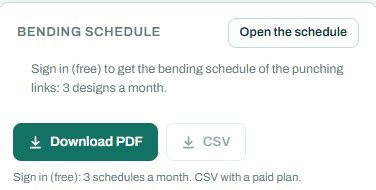
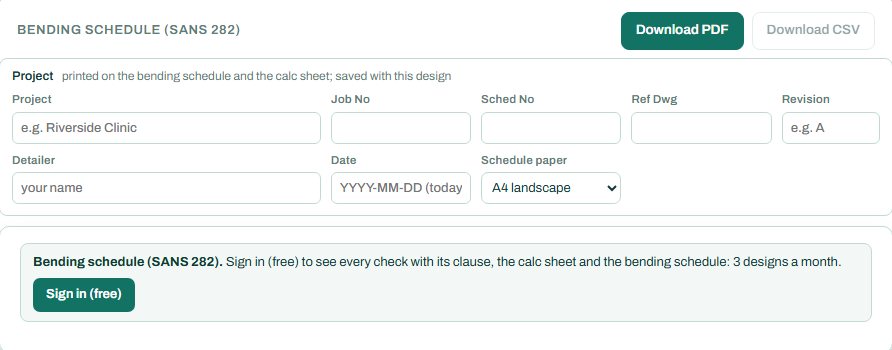
The punching links have their own bending schedule. The card reads: “Sign in (free) to get the bending schedule of the punching links: 3 designs a month”, with CSV on a paid plan.
5. A 2-minute walk-through
- Open the calculator: a 400 × 400 interior column on a 250 mm slab with VEd 800 kN and Y16 @ 125 top bars.
- Read the result: the face passes, but v at u1 (1.07 MPa) is above vc (0.61 MPa), so links are needed.
- Change the slab to 300 mm and see whether the links go away.
- Set the position to edge, then corner: β goes up and so does the stress.
- Switch the code to Eurocode 2 and compare the perimeter at 2d.
6. Common mistakes
- Interior position for an edge column. Edge and corner columns carry a bigger β and a shorter perimeter; the check is much harder.
- Reaction without the slab self-weight. VEd is the factored column reaction from all the load on the slab, including its own weight.
- Bottom bars as the top steel. The steel ratio for punching comes from the top bars over the column.
- Openings ignored. An opening within a few slab depths of the column cuts the perimeter; enter it under More inputs.
- Mixing routes. The SANS / BS perimeters and the Eurocode perimeters are at different distances; do not mix the numbers.
8. Learn more
- RC Design 1, lesson 7: footings and punching and RC Design 2, lesson 1: flat slabs
- Worked example: punching shear in flat slabs to SANS 10100
Open the punching shear calculator
A guide to using the calculator, not a design. Check every value against the current code and your own project, and have the design checked and signed by a registered professional engineer.
Be first to use STATIX 3D and STATIX 2D.
Leave your email and we will tell you when each part is ready for testing. One confirmation now, one message then. A short monthly update only if you tick the box.