
How to use the post-tensioned slab calculator
One strip of a PT flat slab: what each input means, how to read the losses and the balanced load, and why the jacking check reads 100 %.
1. What the calculator does
The post-tensioned slab strip calculator designs one strip of a post-tensioned flat slab between column lines. From the strands it works out the jacking force and the losses, the precompression and the load the tendons balance, then checks the service stresses, the ultimate moments, deflection, the bonded top bars at the columns, punching at the columns and the floor’s natural frequency.
The code routes are SANS 10100-1 + ACI 318-19, Eurocode 2 (EN 1992-1-1) + ACI 318-19 and SANS 51992-1-1 (SA Eurocode, 2023 draft annex) + ACI 318-19. The badge says which: SANS 10100-1 section 5 for prestressed concrete, with ACI 318-19 rules for two-way prestressed slabs where the SANS text has none. The design result names the route per check (for example “punching links (SANS route)”).

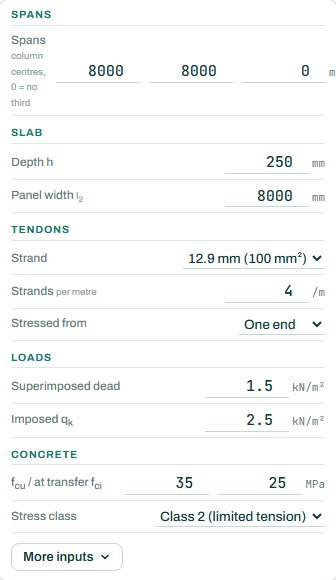
2. The inputs, group by group
| Input | What it means | Typical value |
|---|---|---|
| Spans | Column centres for up to three spans (0 = no third span). | 8000, 8000 mm |
| Slab | Depth h and the panel width l2 the strip carries. | 250 mm, 8000 mm |
| Tendons | Strand size, strands per metre and whether stressed from one end or both. | 12.9 mm, 4 per metre, one end |
| Loads | Superimposed dead and imposed load, characteristic. | 1.5 and 2.5 kN/m² |
| Concrete | fcu and the strength at transfer fci; the stress class (no tension, or limited tension). | 35 / 25 MPa, class 2 |
| More inputs | The P/A from the tendons in the other direction, humidity, partitions, fire rating and a second direction. | as needed |
3. How to read the result
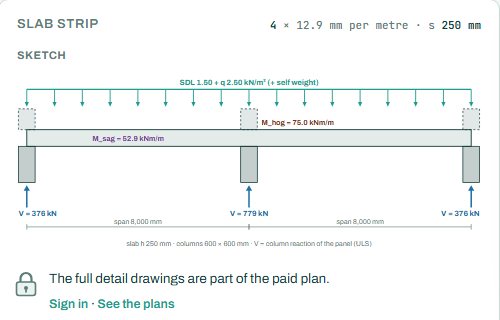
The sketch shows the strip on its columns with the load, the hogging and sagging moments and the column reactions.
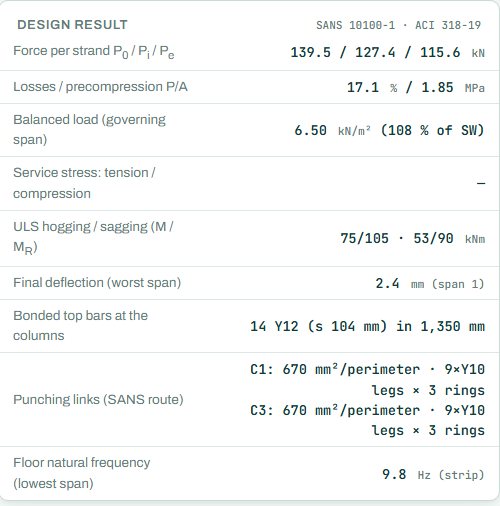
Read the design result from the top: the force per strand at jacking, after transfer and after all losses (P0 / Pi / Pe), the losses and the precompression P/A, then the balanced load as a share of the self-weight. Balancing about the self-weight is a common target. Then the ULS moments against the resistance, the deflection, the bonded top bars over the columns and the punching links.
The badge names the governing check. Here it is the jacking force at 100 %: the strands are stressed to the jacking limit (0.75 fpu) on purpose, so this check sits at 100 % in most designs. Read the next one down in the checks once signed in. Anything the engine could not run shows as NOT CHECKED.
4. Calc sheet and schedule
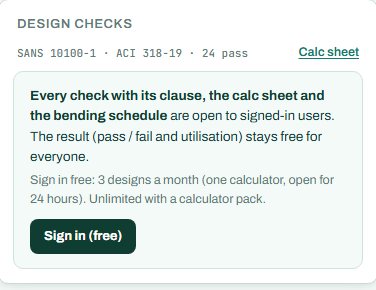
The result (pass / fail and utilisation) stays free for everyone. Every check with its clause, the calc sheet and the bending schedule are open to signed-in users. Sign in free: 3 designs a month (one calculator, open for 24 hours). Unlimited with a calculator pack.
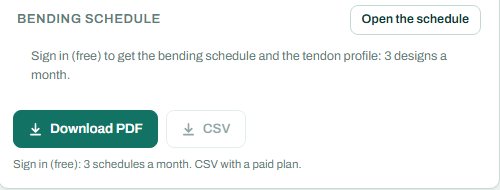
The schedule card reads: “Sign in (free) to get the bending schedule and the tendon profile: 3 designs a month”, with CSV on a paid plan. The full detail drawings are part of the paid plan.
5. A 2-minute walk-through
- Open the calculator: two 8 m spans, 250 mm slab, four 12.9 mm strands per metre, stressed from one end.
- Read the precompression (1.85 MPa) and the balanced load (108 % of the self-weight).
- Drop to three strands per metre and watch the balanced load and the service stresses.
- Stress from both ends and see the losses fall.
- Set the P/A in the other direction under More inputs, as the two-way checks need it.
6. Common mistakes
- Reading the jacking check as a problem. 100 % there is normal.
- No P/A in the other direction. Two-way checks such as punching use the precompression both ways.
- Panel width as the strip width. It is the width of slab between the column lines across.
- Forgetting transfer. fci is the strength on the day the strands are stressed, lower than fcu.
8. Learn more
Open the PT slab calculator
A guide to using the calculator, not a design. Check every value against the current code and your own project, and have the design checked and signed by a registered professional engineer.
Be first to use STATIX 3D and STATIX 2D.
Leave your email and we will tell you when each part is ready for testing. One confirmation now, one message then. A short monthly update only if you tick the box.