
How to use the slab design calculator
A two-way slab from spans, edges and loads to a bar layout: what each input means, how to read the reinforcement plan and the section cuts, and what governs.
1. What the calculator does
The slab design calculator designs a two-way reinforced concrete slab panel (or a few panels side by side). A plate solver works out the moments in both directions; the engine then designs the bottom and top steel, checks shear, span/depth or deflection, minimum steel and bar spacing, and lays out the bars as strips on a plan. The page notes that the plate solver is validated against Timoshenko.
The code routes are SANS 10100, BS 8110, Eurocode 2 (EN 1992-1-1) and SANS 51992-1-1 (SA Eurocode, 2023 draft annex).

2. The inputs, group by group
| Input | What it means | Typical value |
|---|---|---|
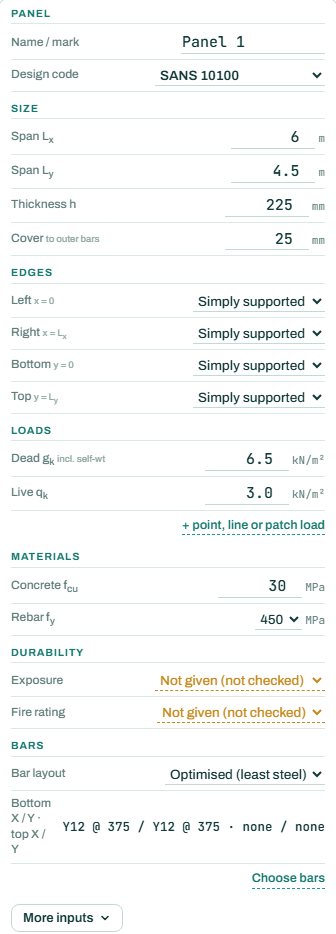
| Panel | A name and the design code; the layout (one panel, 2 or 3 along x, 2 along y, 2 × 2). | One panel |
| Size | Spans Lx and Ly, thickness h and cover to the bars. | 6 × 4.5 m, h 225, cover 25 |
| Edges | Each edge: simply supported, fixed / continuous or free. A continuous edge over a beam or wall takes hogging steel. | Simply supported all round |
| Loads | Characteristic dead (including the self-weight) and live in kPa; point, line or patch loads under “+”. | Dead 6.5 (225 slab + finishes), live 1.5 to 3.0 |
| Materials | Concrete fcu and rebar fy. | 30 MPa, 450 MPa |
| Durability | Exposure and fire rating. “Not given” leaves those checks NOT CHECKED. | Mild, R60 |
| Bars | Optimised layout from the engine, or choose bars yourself. | Y10 or Y12 each way |
3. How to read the result
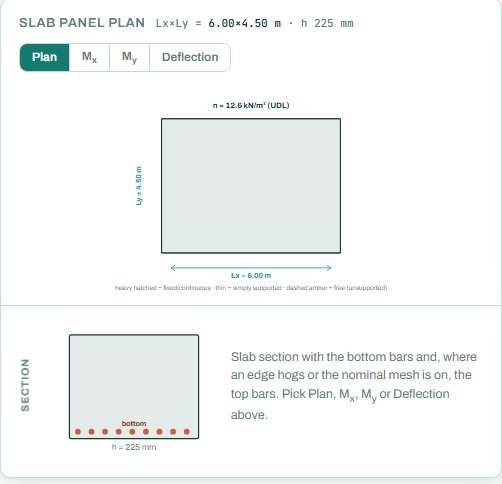
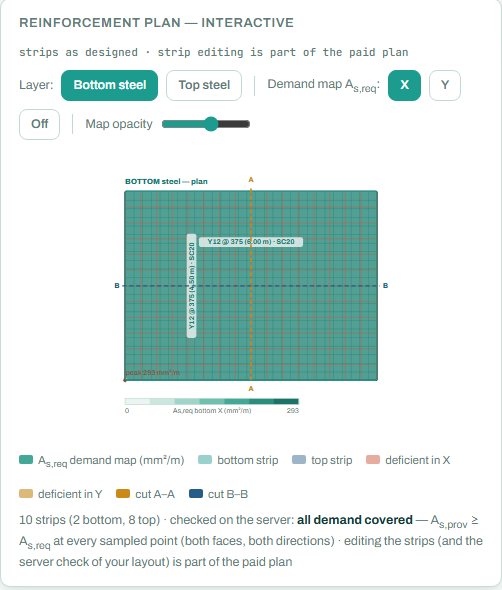
The slab panel plan shows the spans and the load; the Mx, My and deflection tabs show the solver results as contours. The reinforcement plan shows the bar strips with the demand map behind them: where the strips cover the demand, the plan is clear; a red patch is a place where the steel provided is less than the steel required.
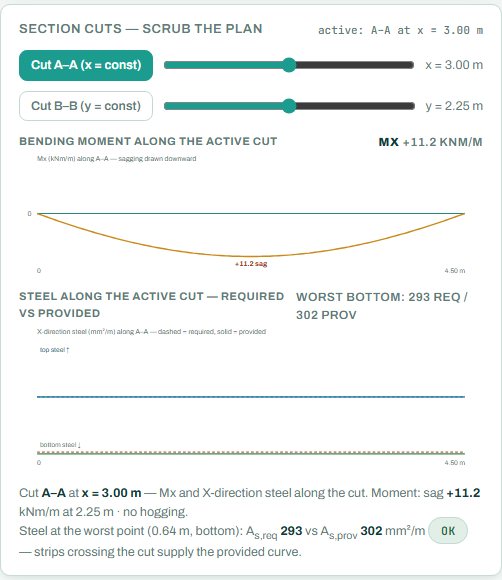
The section cuts let you scrub a line across the slab and read the moment along it, with the steel required against the steel provided. This is where you see whether a strip ends too early.
The badge names the governing check; here flexure in the x span at 97 %, so the short-span bottom bars are near their limit. With exposure and fire rating not given, the summary shows 2 NOT CHECKED; they are not passes.
4. Calc sheet and schedule
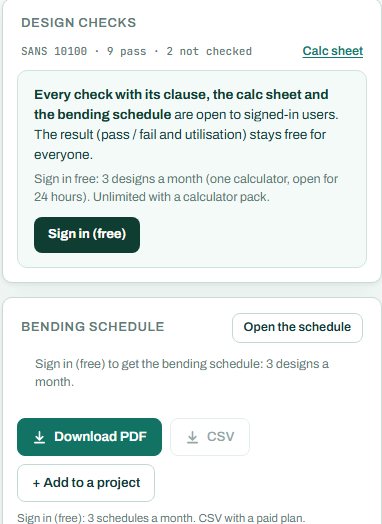
The result (pass / fail and utilisation) stays free for everyone. Every check with its clause, the calc sheet and the bending schedule are open to signed-in users. Sign in free: 3 designs a month (one calculator, open for 24 hours). Unlimited with a calculator pack.
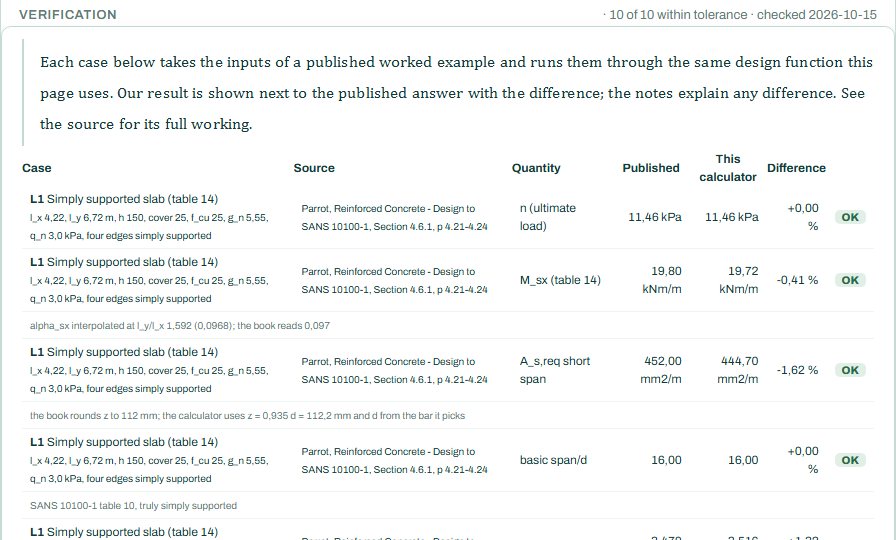
The bending schedule card reads: “Sign in (free): 3 schedules a month. CSV with a paid plan.” Editing the strips and the server check of your own layout are part of the paid plan. The verification table near the bottom runs published two-way slab examples through the same engine.
5. A 2-minute walk-through
- Open the calculator: one 6 × 4.5 m panel, 225 thick, simply supported all round, dead 6.5 and live 3.0 kPa.
- Read the badge: PASS 97 %, flexure in the x span, with Y12 @ 375 each way.
- Set the left edge to fixed / continuous and see the top steel appear along it and the midspan moment drop.
- Drag cut A–A across the panel and read the steel against the demand.
- Set exposure and fire rating so every check runs.
- Sign in for the schedule and calc sheet, or add the slab to a project.
6. Common mistakes
- Self-weight left out of the dead load. The dead load input includes the self-weight: 225 mm of concrete alone is about 5.4 kPa, before finishes and services.
- Lx and Ly the wrong way round. The bars in the short span go at the bottom, outermost; check the plan.
- Simply supported where the slab is continuous. You lose the hogging steel over the support, and the slab cracks there on site.
- A thin slab that passes strength but is near the deflection limit: open the Deflection tab, and take long-term effects from the crack-deflection calculator.
7. Where it fits
The edge reactions go to the beams and walls that carry the slab. For slabs without beams, use the flat slab calculator.
8. Learn more
- RC Design 1, lesson 6: two-way slabs and Detailing 1, lesson 5: slabs, footings and walls
- Worked example: two-way slab to SANS 10100
- Guide: the project board and schedule
Open the slab design calculator
A guide to using the calculator, not a design. Check every value against the current code and your own project, and have the design checked and signed by a registered professional engineer.
Be first to use STATIX 3D and STATIX 2D.
Leave your email and we will tell you when each part is ready for testing. One confirmation now, one message then. A short monthly update only if you tick the box.