
How to use the quick tools
Four small everyday tools: bar areas and laps, a simple beam, a dead load build-up and imposed loads. What each one gives, and where it stops.
1. What the page does
The quick tools page holds four small everyday tools on one page: bar area with the anchorage and lap lengths, a simply supported beam, a dead load build-up and the imposed load for an occupancy. You type and the answer follows. The page says it plainly: the values are characteristic, for a first check; the full design calculators are on the calculators page.
The codes are named on each card: SANS 10100-1 4.11.6 and Table 24 for the laps, SANS 10160-2 Annex A for the densities, SANS 10160-2 Tables 1, 2, 4 and 5 for the imposed loads, and elastic beam formulas for the simple beam.

2. The inputs, tool by tool
| Input | What it means | Typical value |
|---|---|---|
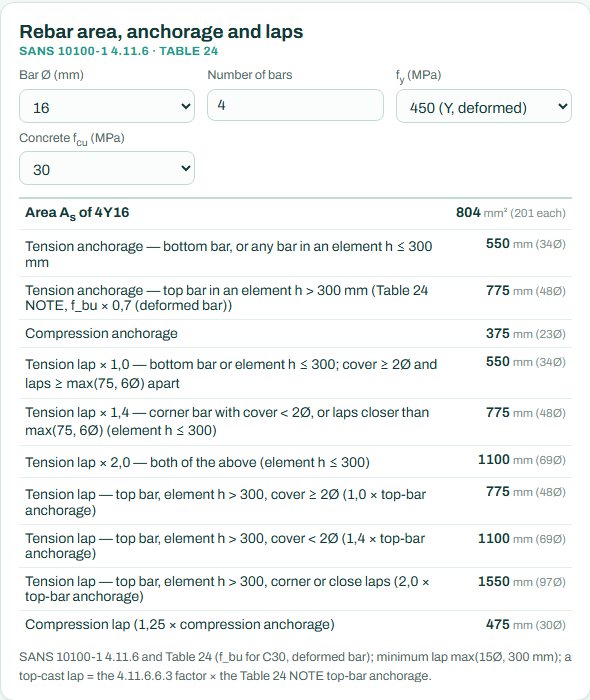
| Rebar area, anchorage and laps | Bar diameter, number of bars, fy and concrete fcu. | 4Y16, 450 MPa, 30 MPa |
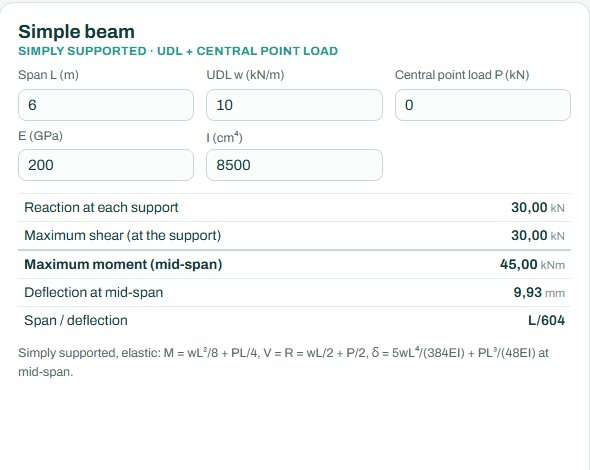
| Simple beam | Span, UDL, central point load, E and I. | 6 m, 10 kN/m, E 200 GPa, I 8500 cm⁴ |
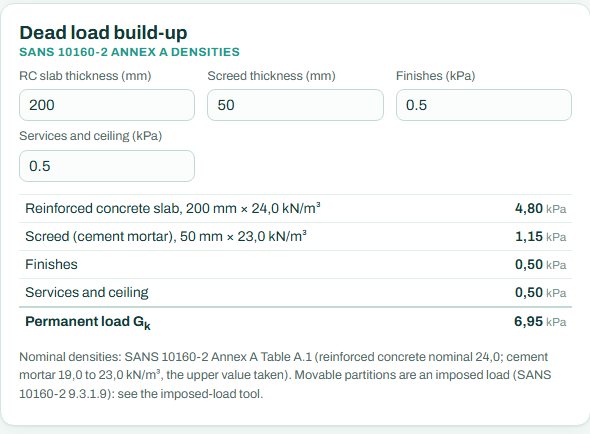
| Dead load build-up | Slab thickness, screed thickness, finishes and services. | 200 mm slab, 50 mm screed, 0.5 + 0.5 kPa |
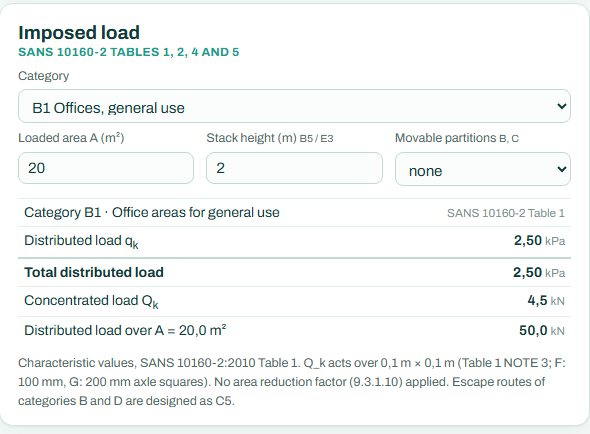
| Imposed load | Occupancy category, loaded area, stack height (storage) and movable partitions. | B1 offices, 20 m² |
3. How to read each tool
Rebar. The area of the bars, then the anchorage and lap lengths for each case: bottom bars, top bars in deep members, corner bars or close laps, and compression. Laps of top bars and corner bars are longer because the concrete around them is weaker or thinner.
Simple beam. The reactions, maximum shear, maximum moment at mid-span and the mid-span deflection with the span/deflection ratio, from the elastic formulas shown under the card.
Dead load. Each layer with its density and its load in kPa, summed to the permanent load Gk. Movable partitions are an imposed load, not a dead load, so they are in the imposed load tool.
Imposed load. The distributed and concentrated loads for the category, the total over the loaded area, and notes on reductions and escape routes.
These tools give values, not a pass or a fail; there is no governing check and nothing marked NOT CHECKED.
4. Access
The page says it is free and needs no sign-in. The full design calculators, with their calc sheets and schedules, follow the sign-in rules on their own pages.
5. A 2-minute walk-through
- Rebar: pick Y20, 3 bars; read the area and the bottom-bar lap.
- Simple beam: a 5 m span at 12 kN/m with a 20 kN point load; read the moment and the deflection.
- Dead load: a 170 mm slab with 30 mm screed; read Gk.
- Imposed load: switch to C3 (museums, public corridors, stairs) and compare with B1.
- Take the loads to the slab or beam calculator.
6. Common mistakes
- Characteristic values as design values. Factor them in the combination.
- The wrong E and I in the simple beam. E 200 GPa is steel; for concrete use a lower value and the cracked I.
- Bottom-bar laps for top bars. Top bars in deep members need the longer lap.
- Partitions in the dead load. Movable partitions belong in the imposed load.
- Laps for the wrong concrete. The lengths depend on fcu; a lower grade needs longer laps.
7. Where it fits
The tools are for the quick numbers you need many times a day: a lap length for a site query, the dead load of a floor build-up for a take-down, the imposed load for a new occupancy, or a first size for a beam. For the design itself, take the loads into the RC beam, slab design or steel member calculator, which build the combinations and check every clause. The Loads 1 course explains where each number comes from.
8. Learn more
- Detailing 1, lesson 3: laps, anchorage and cover
- Loads 1, lesson 2: permanent loads and lesson 3: imposed loads
- Worked example: imposed loads to SANS 10160-2
Open the quick tools
A guide to using the calculator, not a design. Check every value against the current code and your own project, and have the design checked and signed by a registered professional engineer.
Be first to use STATIX 3D and STATIX 2D.
Leave your email and we will tell you when each part is ready for testing. One confirmation now, one message then. A short monthly update only if you tick the box.