Product

The whole design workflow, section by section

This page describes what STATIX actually does: the 3D workspace and frame solver, member design to SANS 10162 and four other codes, the native CBFEM Connection Studio, the reinforced-concrete modules, cold-formed purlin design by the Direct Strength Method, the free calculators and the reporting pipeline. For the numerical methods behind each engine, read the theory page; for the benchmark results, the validation page.

3D workspace

Model, load and solve in one window

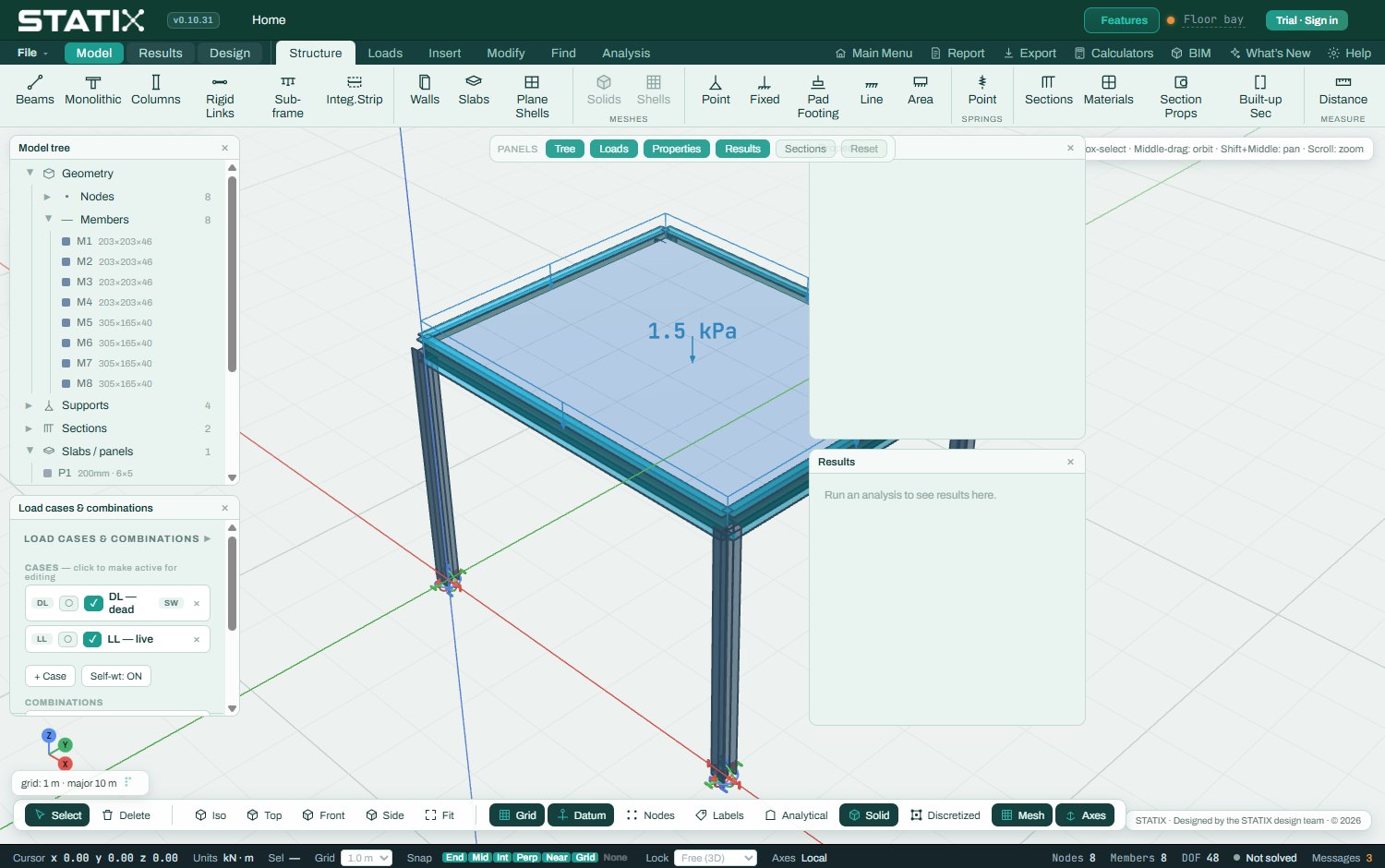
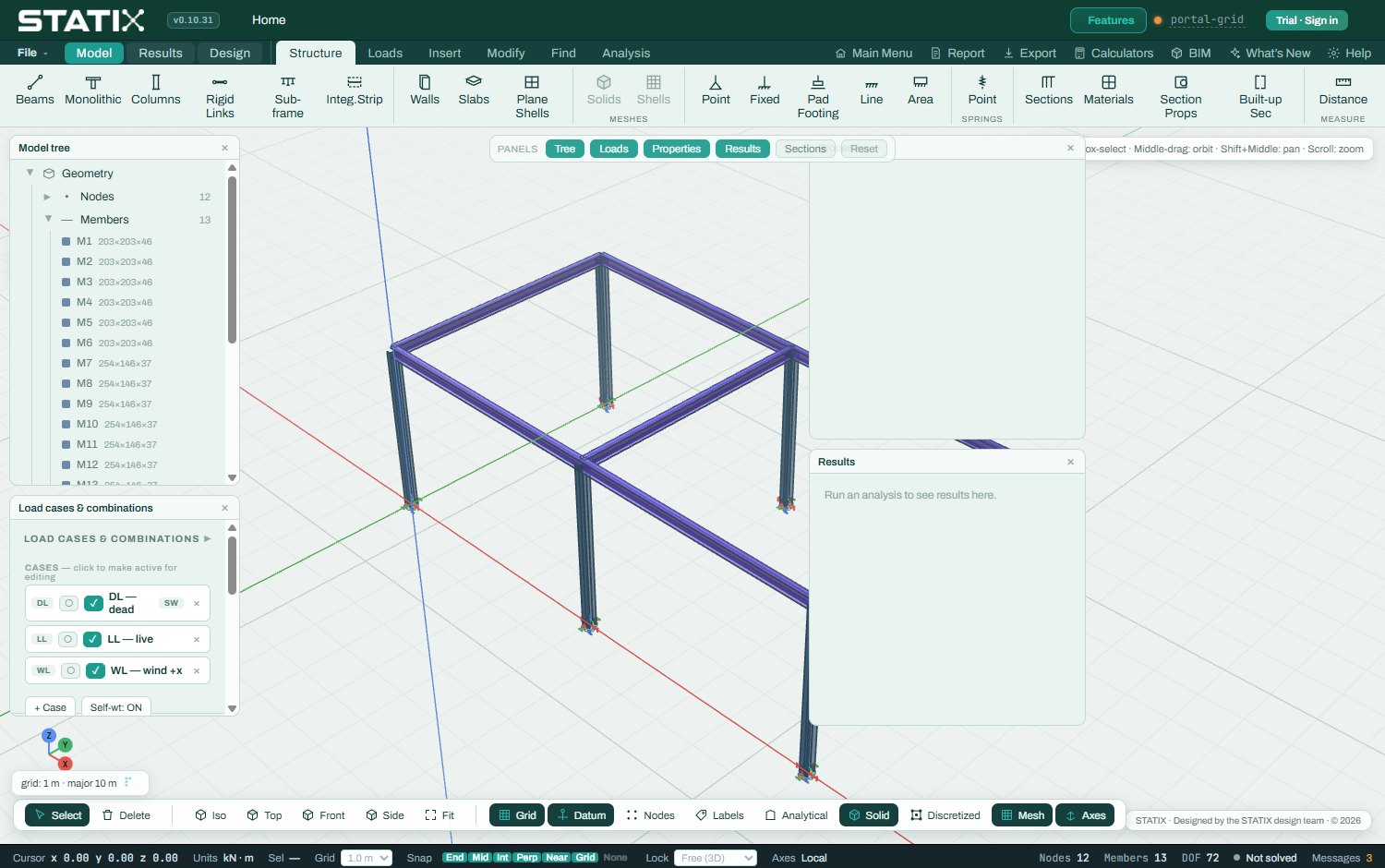
The modeller is a full-height 3D viewport with a model tree beside it. Build member by member, or start from a parametric generator — portal frames, multi-bay sheds, towers and grids — and refine from there. Supports are per-DOF objects; member ends can release any of the six degrees of freedom.

  • Direct-stiffness 6-DOF frame FEM — dense LU on small models, sparse direct factorisation on large ones
  • P-Δ second-order analysis, modal analysis with mass participation, and linear buckling with αcr
  • Tension-only bracing, end releases, rigid links and elastic spring supports
  • Load cases and code combination generators — SANS 10160 partial factors natively, EN / AISC / CSA / AS alongside
  • Wind pressures resolved onto members as line loads by tributary width

Mechanisms are reported with the exact node and degree of freedom responsible — not a generic solver error.

STATIX 3D modeller with model tree and viewport
The 3D modeller — model tree left, viewport right
Steel member design

SANS 10162 first, four more codes on the same model

Member checks read forces straight from the solved frame. Sections are classified, axial and lateral-torsional buckling reductions computed, and the beam-column interaction evaluated — with the governing clause cited at each step of the calc sheet. Switch the design code and the capacities change because the rules change.

  • SANS 10162-1, EN 1993-1-1, AISC 360 LRFD, CSA S16 and AS 4100
  • 1,040 catalogue sections across SA, European, UK, US and AU/NZ standards, plus custom sections computed from geometry
  • Classification, flexural / flexural-torsional buckling, LTB with the moment-gradient factor, shear and interaction
  • Serviceability deflection checked against span limits and reported alongside strength

Cold-formed purlins, by the Direct Strength Method

Lipped C and Z purlins are designed to SANS 10162-2 / AS/NZS 4600 using the Direct Strength Method: local, distortional and global buckling, with the Lau-Hancock closed-form distortional solution validated against CUFSM finite-strip results.

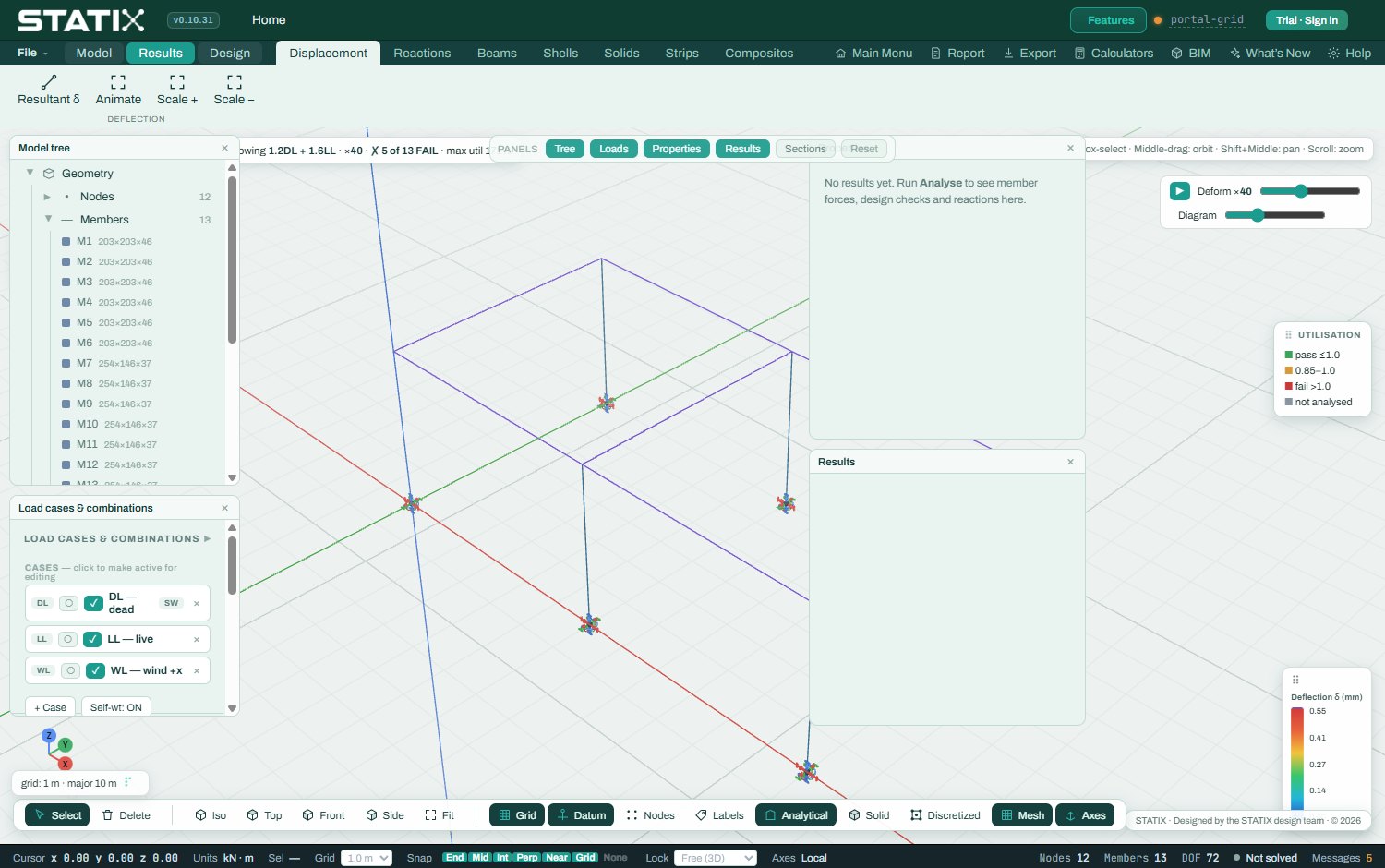
Finite-element stress and deflection results across a steel frame
Solved frame — utilisation and deflection per member
Connection Studio

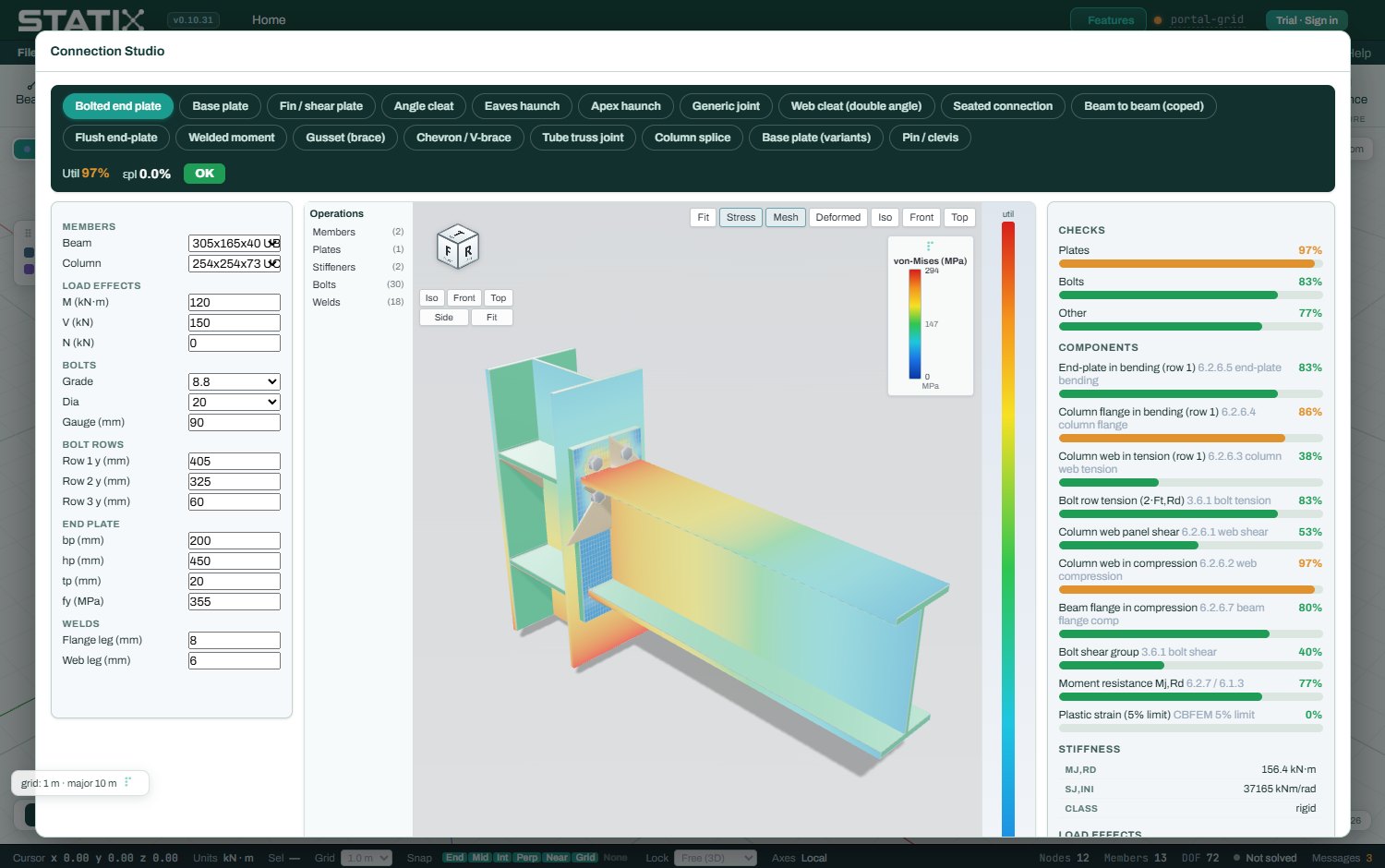
Native CBFEM — no round-trip to IDEA

In the conventional workflow, connection design lives in a second product: export forces from the analysis suite, rebuild the joint geometry in IDEA StatiCa or similar, and maintain a second licence. STATIX does component-based FEM in the same tool. Solve the frame, click the joint, design the connection.

  • Plates meshed into shell elements; bolts as code-anchored springs; welds as line elements checked by the EN 1993-1-8 directional method
  • Unilateral lift-off contact and elasto-plasticity against the 5% equivalent-plastic-strain limit
  • Capacity anchored to the EN 1993-1-8 component method — T-stub rows, web panels, bolt tables — not read off an elastic stress peak
  • End plates, eaves and apex haunches, base plates with EN 1992-4 anchor groups, fin plates, web cleats and column splices
  • Audited line-by-line against SCI P398 / P358 worked examples, InFaSo design-manual cases and IDEA StatiCa verification examples — results here

Every component utilisation is listed in the connection report, with the clause it comes from.

STATIX Connection Studio with a CBFEM end-plate connection, stress contour and component checks
Connection Studio — CBFEM solve with component checks
Reinforced concrete

From analysis to a bending schedule

The RC modules run to SANS 10100 / BS 8110 with EN 1992 alongside, and they finish the job: not just a steel area, but bar selections, curtailment and a SANS 282 bending schedule exported to DXF.

  • Continuous beams with moment redistribution coupled to the ductility limit, per-span lengths and pattern-loading ULS envelopes
  • Columns under N+M — strain-compatibility interaction curves, slenderness moments and biaxial checks
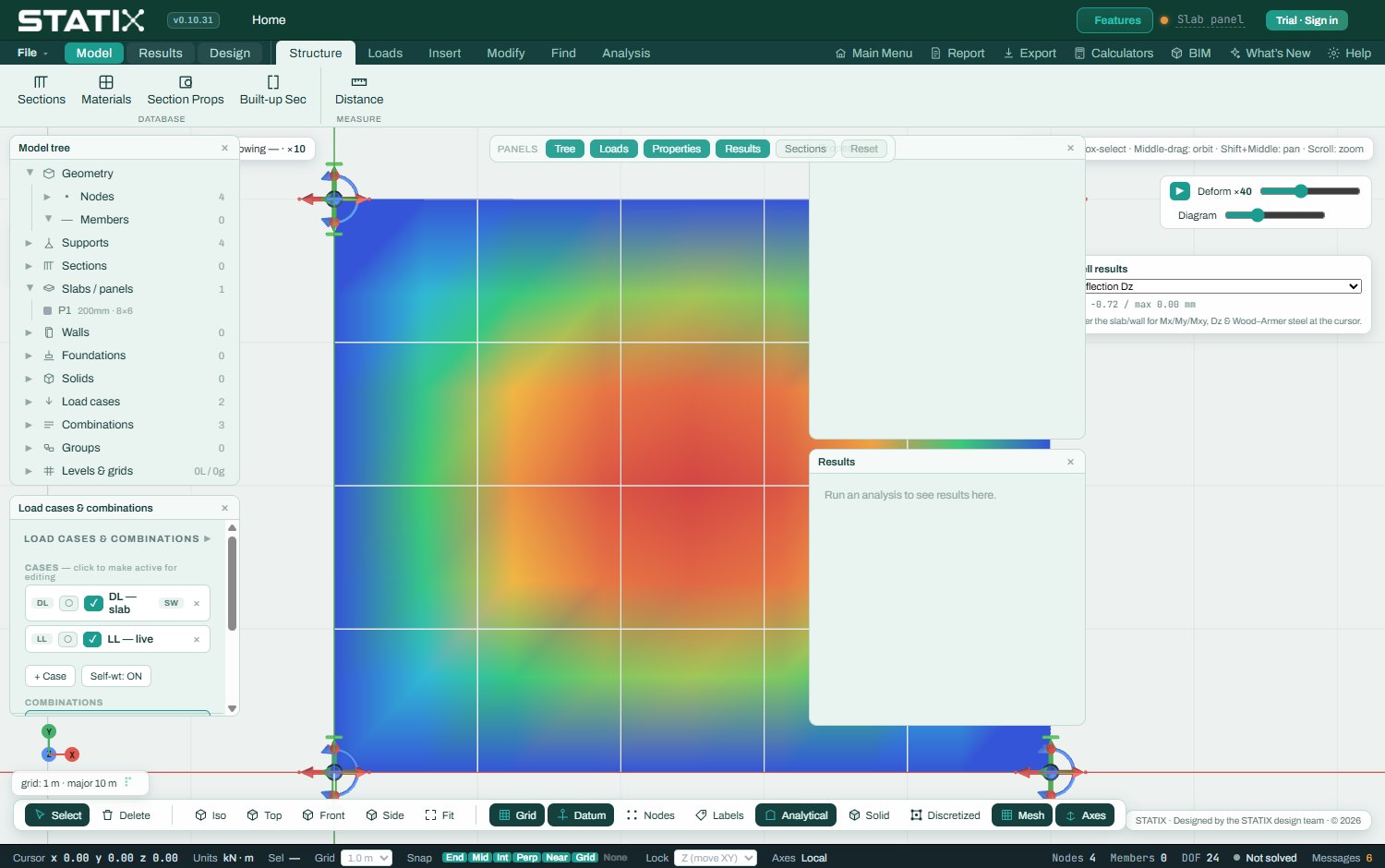
  • FE slabs with Wood-Armer design moments, column and middle strips, punching shear driven from the FE reactions, and welded-mesh options to SANS 1024
  • Pad footings, pile caps, retaining walls and crack-width / long-term deflection checks
  • Bar bending schedules to SANS 282 — shape codes, bend deductions, cutting lengths, mass totals, DXF export
Finite-element bending-moment contour on a concrete slab in STATIX
FE slab — moment field, design strips and reinforcement
Calculators

17 free calculators, same engine

Single-purpose tools for the checks you do every week — free, no sign-up, each running the same validated engine as the full suite. Useful on their own; also the fastest way to judge the quality of the code before you trial it.

Concrete

SANS 10100 · BS 8110 · EC2
  • RC beam — diagrams, continuous spans, detailing
  • RC column — live N-M interaction diagram
  • Two-way slab — finite-difference plate solver with contours
  • Pad footing, pile cap, retaining wall
  • Crack width and long-term deflection
Open the calculator hub

Steel & connections

SANS 10162 · EN 1993-1-8
  • Steel member — resistances and beam-column interaction
  • Base plate with EN 1992-4 anchor checks
  • End-plate, eaves-haunch, apex-haunch and fin-plate connections
  • Cold-formed purlin by the Direct Strength Method
  • Section properties — any geometry or a library profile
Open the calculator hub

Loads & other materials

SANS 10160-3 · EC5 · EC6
  • Wind load — peak pressure and zone-by-zone Cpe
  • Timber beam to EN 1995-1-1 with SANS loading
  • Masonry wall to SANS 10164 / EN 1996
Open the calculator hub

Why they are free

Judge the engine first
  • Each calculator prints a full calc sheet with clause references
  • Each carries its validation statement against the 221-benchmark record
  • If the free tools convince you, the full suite runs the same code
How the engine is validated
Interop & reporting

Bring models in, send documents out

STATIX reads existing .sumo models directly — a built-in SQLite reader pulls nodes, members, sections, supports and loads into a live model, then cross-checks the imported results against its own solver. From there it exchanges with the rest of the office.

  • .sumo model import with a results cross-check; .std and .e2k import
  • SAF (.xlsx) exchange, IFC4, glTF / GLB, structural JSON and lossless native projects
  • DXF general-arrangement and rebar drawings; DSTV / NC1 cut lists for fabrication
  • Clause-by-clause member calc sheets and connection component reports
  • Bound project reports with your title block, printed to PDF
Start free 14-day trial
A steel frame with a concrete floor slab modelled together in STATIX
One model — steel frame, concrete slab, one report

See it on your own project

The trial is the full product for 14 days — model a current job, run the numbers, and compare the calc sheets against your existing workflow.